12
En
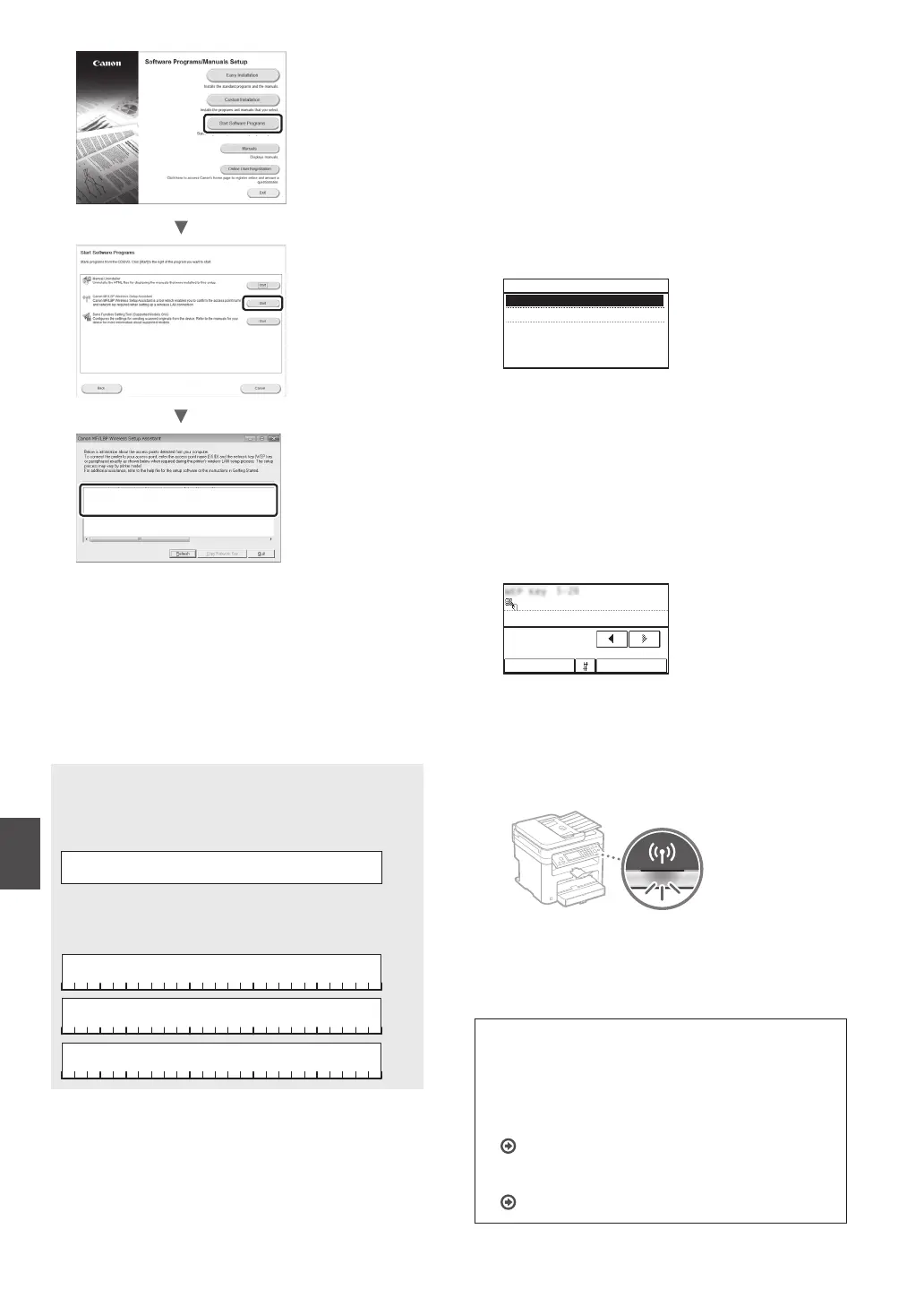
SampleABCD WEP 01234567890123456789ABCDEF
SampleEFGHIJ WPA-PSK 543210EDCBA
SampleK WPA2-PSK 1234ABCD
If the information of the wireless LAN router is not
displayed, click the [Refresh] button. If the information is
not displayed when you click the [Refresh] button, check
if the computer settings for a wireless LAN router (access
point) are complete.
2
Write down the name of SSID and network key
displayed in step 1. When multiple access points are
displayed, write all SSIDs that are displayed.
SSID
It is sometimes written as name of network, or name of
access point. If there are multiple SSIDs, please write down
all.
Network Key
It is sometimes written as PIN, WEP key, WPA/WPA2
passphrase, PSK or preshared key.
3
Tap <Menu> in the Home Screen.
4
Tap <Network Settings>.
5
Tap <Wireless LAN Settings>.
If a screen appears asking whether to enable the wireless
LAN, tap <Yes>.
6
Read the message that is displayed, and tap <OK>.
7
Tap <SSID Settings>.
8
Tap <Select Access Point>.
SSID Settings
Select Access Point
Enter Manually
9
Select a wireless LAN router.
If multiple matched SSIDs are displayed, select the ID that
is listed rst (the one with the strongest signal).
10
Enter the network key that you have written
down.
Enter the network key using the numeric keys, and tap
<Apply>.
WEP Key (5-26 Char.)
A
XXXXXXX
ApplyA/a/12
11
Tap <Yes>.
12
After the <Connected.> screen is displayed, wait
until the Wi-Fi indicator stops blinking and turns on.
13
Wait approximately 2 minutes after the
connection.
IP address is set during this period of time.
When an error message appears:
Tap <Close> to close the screen, check whether or not
the network key is correct, and then retry the settings.
If the access point cannot be detected even after
retrying, see the following.
User’s Guide “When an Error Message Appears”
To set IP address manually:
User’s Guide “Connecting to a Wireless LAN”












 To Next Page