14
1
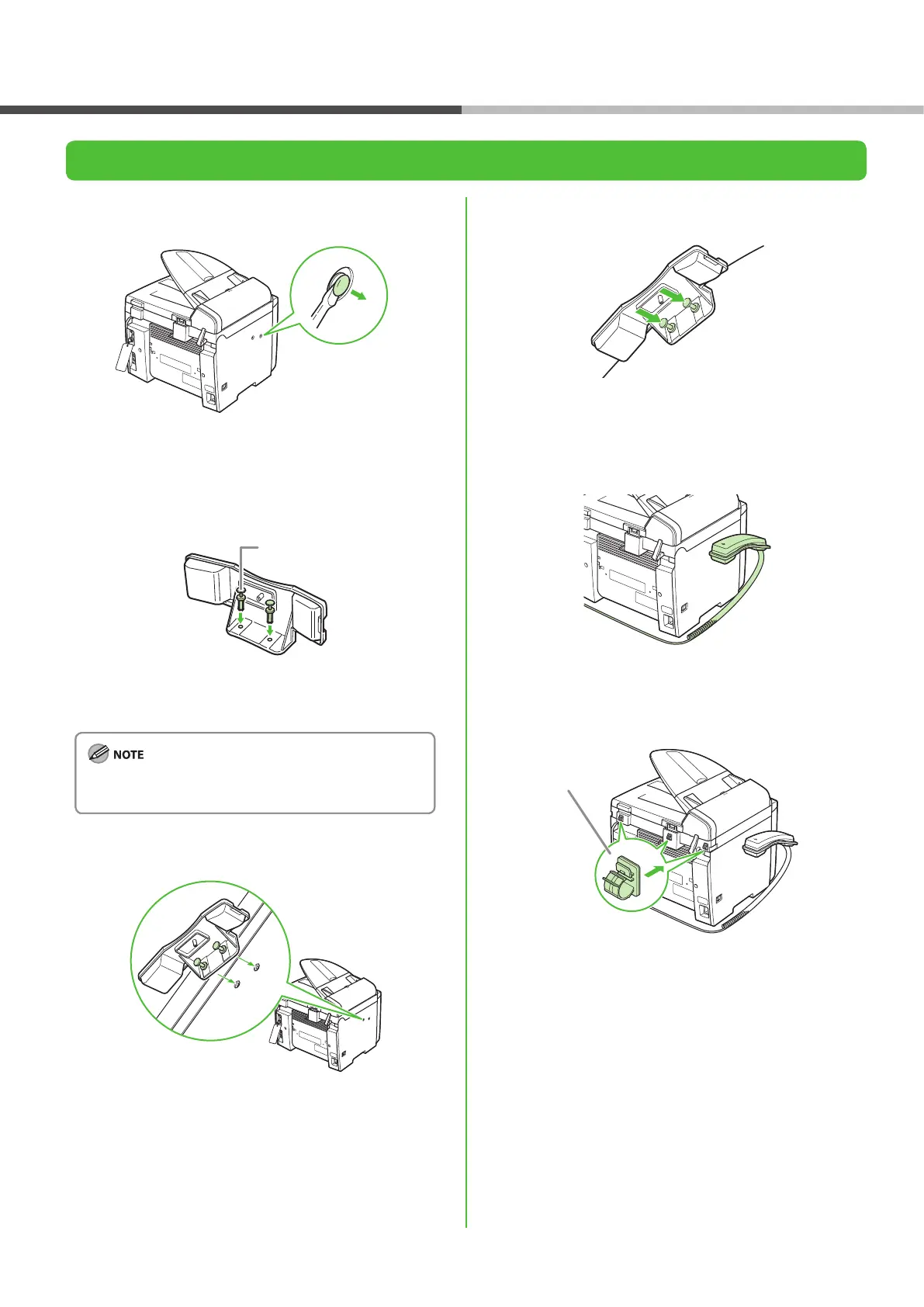
Use a screwdriver to remove the covers on the left side
of the machine.
2
Insert the plugs with pins (A) into the holes on the
handset cradle.
Do not insert the pins all the way into the plugs at this
point.
3
Insert the plugs (with the cradle) into the holes on the
machine.
4
Carefully push the pins into the plugs as far as they will
go.
5
Place the handset on the cradle.
6
Attach the handset clamps (A) to the back side of the
machine.
Before FAX Setting
Install Optional Handset




 To Next Page