Set the Machine for Sending Faxes
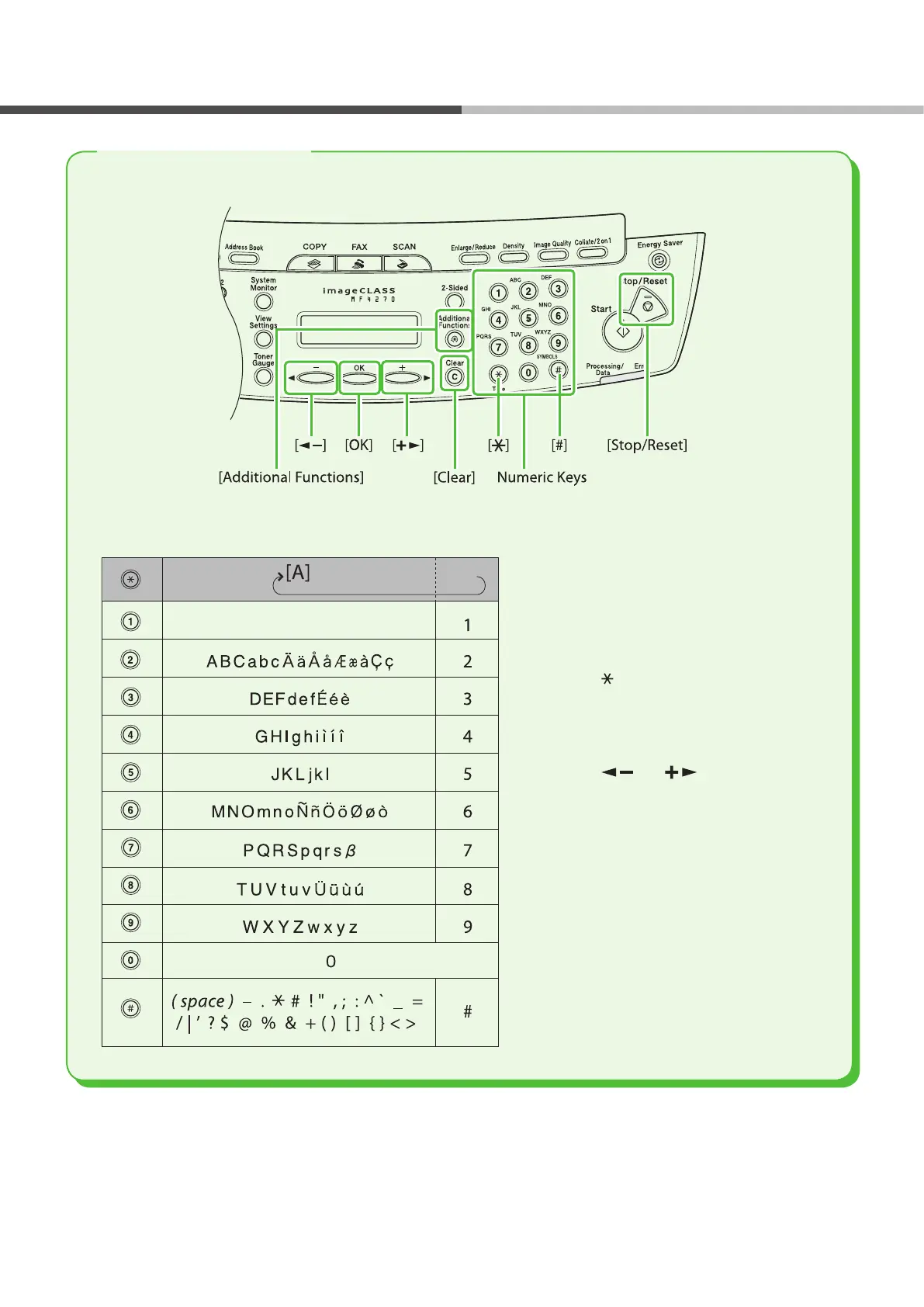
Use the following keys to enter information in the machine.
You can enter the following characters in each input mode:
Use the numeric keys to enter
characters.
Press the numeric key repeatedly until
the required character appears.
Press [#] to enter symbols.
Press [ ] to switch between input
modes:
[A]: Letter mode
[1]: Number mode
Press [ ] or [ ] to move the
cursor position.
Press [Clear] to delete the character at
the cursor position. Hold [Clear] to
delete the entire entry.
●
●
●
‒
‒
●
●
Entering Information




 To Next Page