7
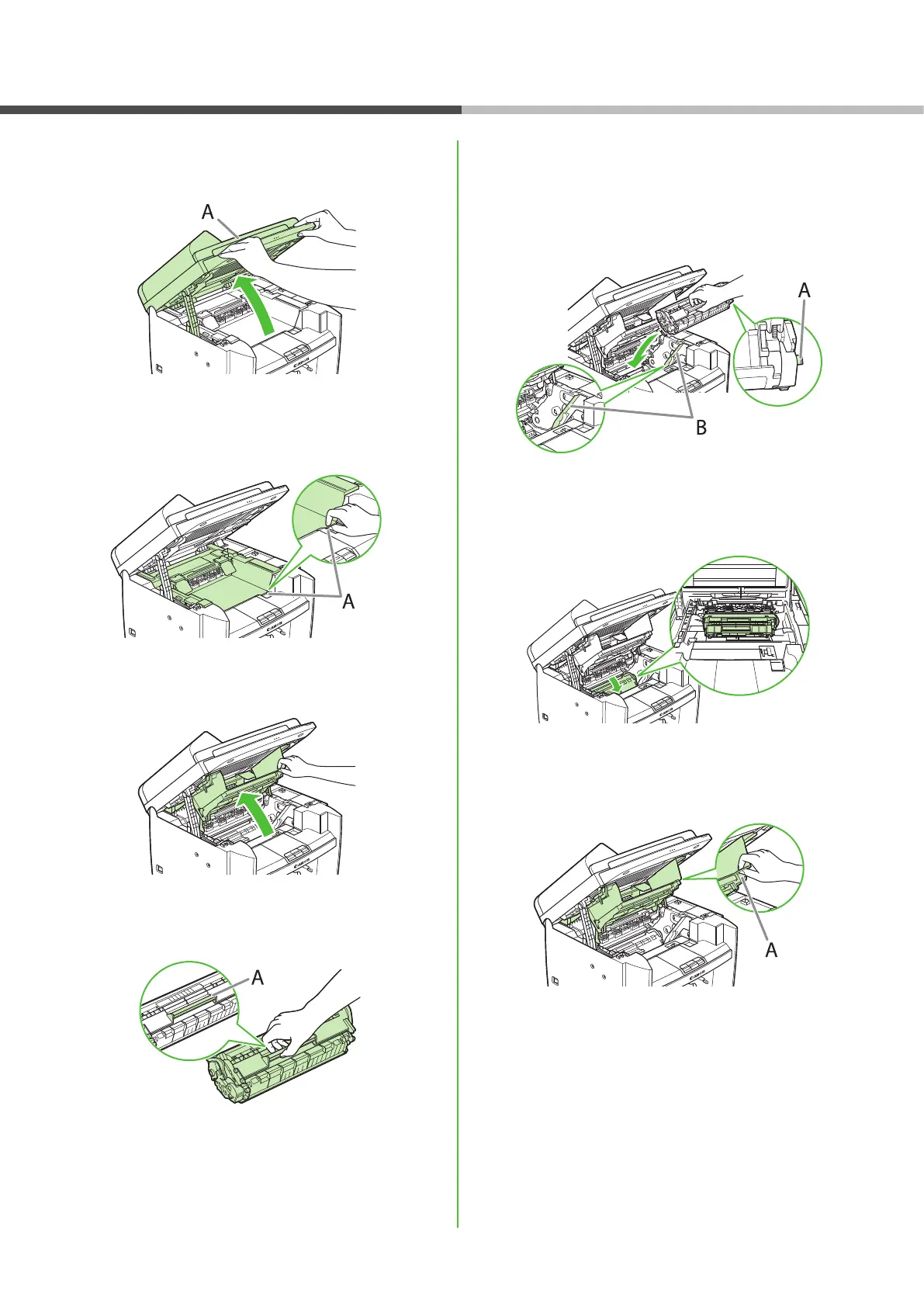
5 Lift the scanning platform (A) until it is locked.
(You will hear an audible “click.”)
6 Hold the grip (A) on the right front side of the
toner cover.
7 Open the toner cover.
8 Hold the toner cartridge by its handle (A).
9 Insert the toner cartridge so that the
protrusion on the right side of the toner
cartridge (A) ts into the guide (B) located on
the right side of the machine and slide it down
parallel to the guide.
10 Push the toner cartridge to make sure it is
properly set in the machine.
11 Hold the grip (A) on the right front side of
the toner cover.
Set Up the Machine












 To Next Page