1
Checking the Supplied Accessories
1.
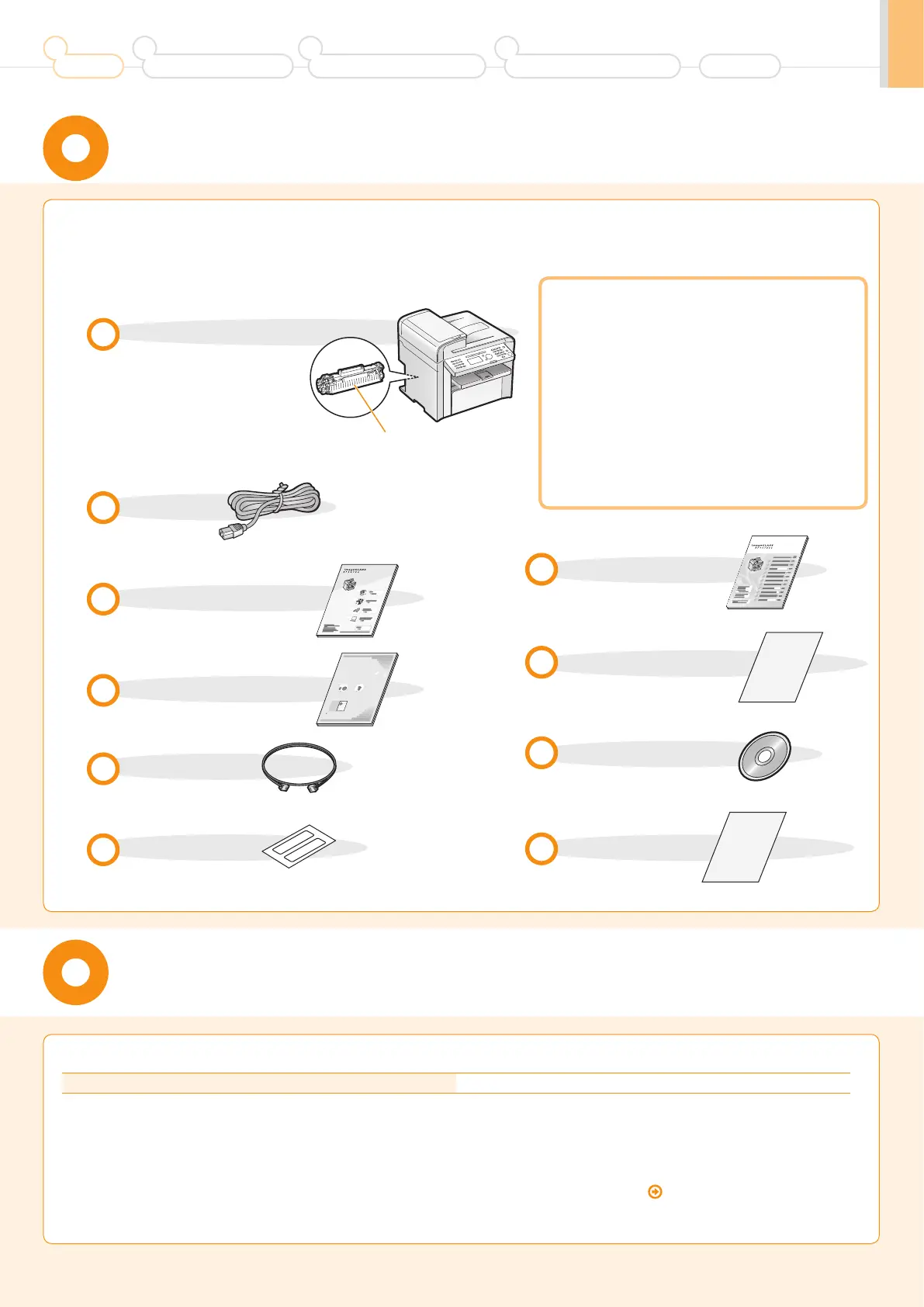
Confirm that all the supplied
accessories are contained in the box.
If an item is missing or damaged, please contact our Canon
Authorized Service Facilities or the Canon Customer Care
Center.
The machine unit
The toner cartridge is already
installed.
Toner cartridge
Power cord
User Software CD-ROM
Limited Warranty Notice
Telephone cable
Speed dial label
Starter Guide (This manual)
Basic Operation Guide
Supplied Toner Cartridge
The average yield of the included toner cartridge is as follows.
Canon Cartridge 128 Starter Average yield
*1
: 1,000 sheets
*1
The average yield is on the basis of "ISO/IEC 19752"
*2
when printing A4 size paper with the default print density setting.
*2
"ISO/IEC 19752" is the global standard relating to "Method for the determination of toner cartridge yield for monochromatic electrophotographic printers
and multi-function devices that contain printer components" issued by ISO (International Organization for Standardization).
The average yield of the replacement toner cartridge differs from which of the supplied toner cartridge.
To purchase replacement toner cartridges, see "About Replacement Toner Cartridge" in the
e-Manual.
About the LAN cable
The machine does not come with a LAN cable
or a hub. Have cables or a hub ready as needed.
• Use a Category 5 or higher twisted pair cable.
• If you want to connect the machine to a 100BASE-TX
Ethernet network, all the devices to be connected to the
LAN must support 100BASE-TX.
About the USB cable
The machine does not come with a USB cable.
Have cables ready as needed.
Registration Card
Preface
1
Installing the Machine
2
Configuring and Connecting the Fax
3
Connecting to a Computer and
Installing the Drivers
4
Appendix
1
Pr
eface
Nex
t P
age
2
Installing the Machine
P.
4
3
C
onguring and
Connec
ting the F
ax
P.
1
2
4
Appendix
P.
0
-2
C
onnecting to a Computer
and Installing the Driv
ers
P.
1
6
Read this guide rst.
Please read this guide be
fo
re
o
p
erating this
product.
T
he remarks f
or impor
tant sa
fe
ty
in
struct
io
ns are described in "Basic
Operation Guide
." R
ead the guide also
.
Af
ter you nish reading this guide, s
tore it in
a safe
p
la
ce for future refe
re
nc
e.
Starter Guide
w
Quick View- Perform Useful Tasks
Next
Page
Before Using the Machine
P.1-1
1
Document and Paper Handling
P.2-1
2
Copying
P.3-1
3
Printing from a Computer
P.4-1
4
Registering Destinations
in the Address Book
P.5-1
5
Using the Fax Functions
P.6-1
6
Using the Scan Functions
P.7-1
7
Maintenance
P.8-1
8
Troubleshooting
P.9-1
9
Registering/
Setting the Various Functions
P.
10
-1
10
Appendix
P.
11
-1
11
Basic Operation Guide
Be sure to read the manual before using
the machine.
Keep the manual for future reference.
Network Setting Procedure
Security Functions
Searching the Installation and
Connection Procedure
See the Starter Guide.
See the e-Manual.
User Software CD-ROM
Searching in Detail
Wireless LAN Setting Guide
Read this guide before setting up the wireless LAN
This guide describes problems and countermeasures for troubles
of the wireless LAN setup procedure and problems encountered
during the configuration.
After you finish reading this guide, store it in a safe place for
future reference.
Starter Guide
Troubleshooting
XXXXXX
XXXXXXXXX
?
P.2- 1P.1- 1
W
ireless LAN Setting Guide
For procedures other
than printer installation
and wireless LAN setup,
please refer to the
[Starter Guide].
Setting the
wireless LAN











 To Next Page