5
2.
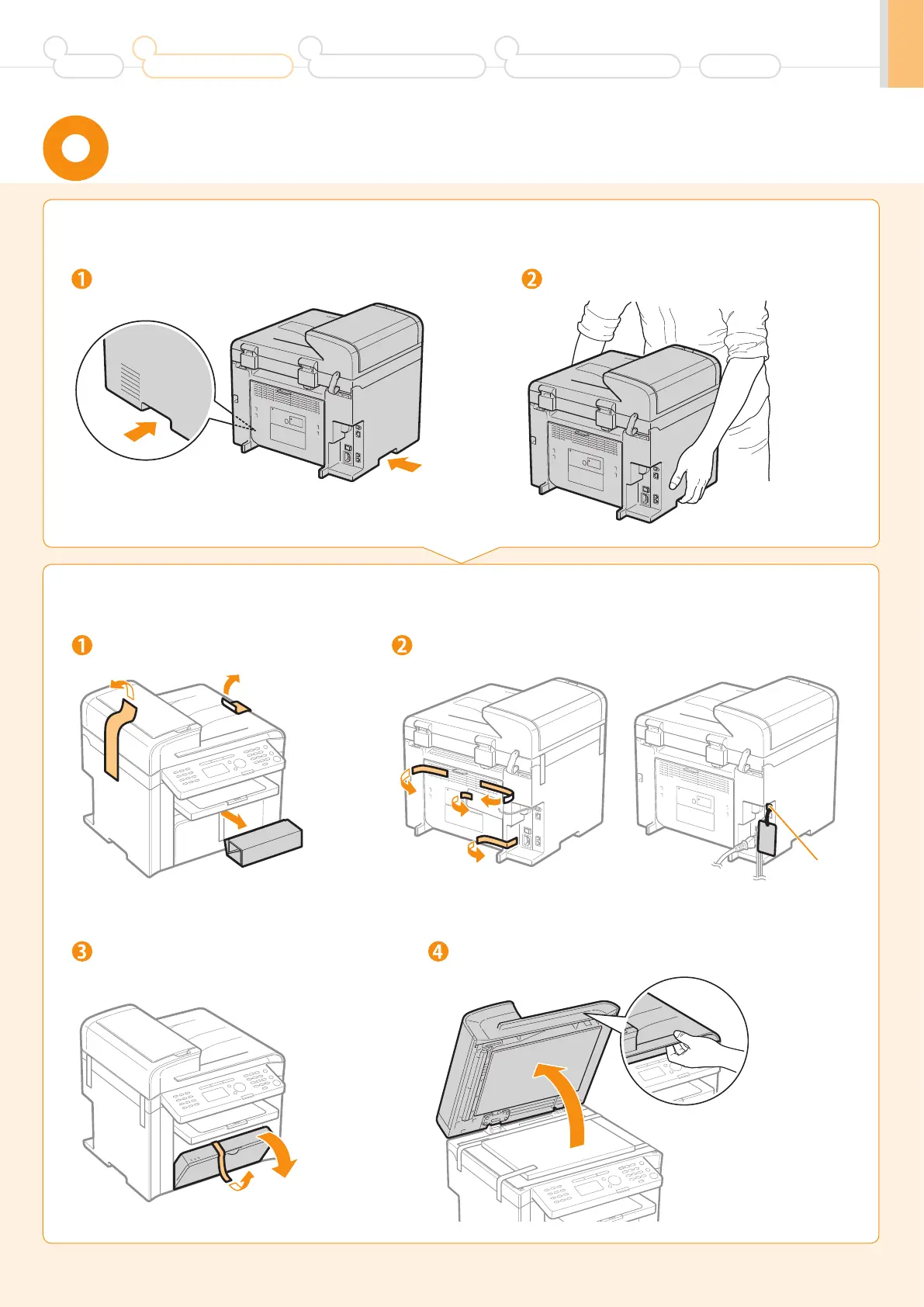
Remove the packing materials.
* The packing materials may be changed in form or placement, or may be
added or removed without notice.
Remove the packing materials. Remove the packing materials.
1.
Carry the machine to the installation site.
Hold the grips. Carry the machine.
Remove the tape while opening
the paper cassette.
Open the feeder.
Carrying the Machine to the Installation Site
and Removing the Packing Materials
(A)
* Do not remove the cap (A) on the
USB port at this stage. Uncap when
installing for USB connection.
Preface
1
Installing the Machine
2
Configuring and Connecting the Fax
3
Connecting to a Computer and
Installing the Drivers
4
Appendix











 To Next Page