7
3.
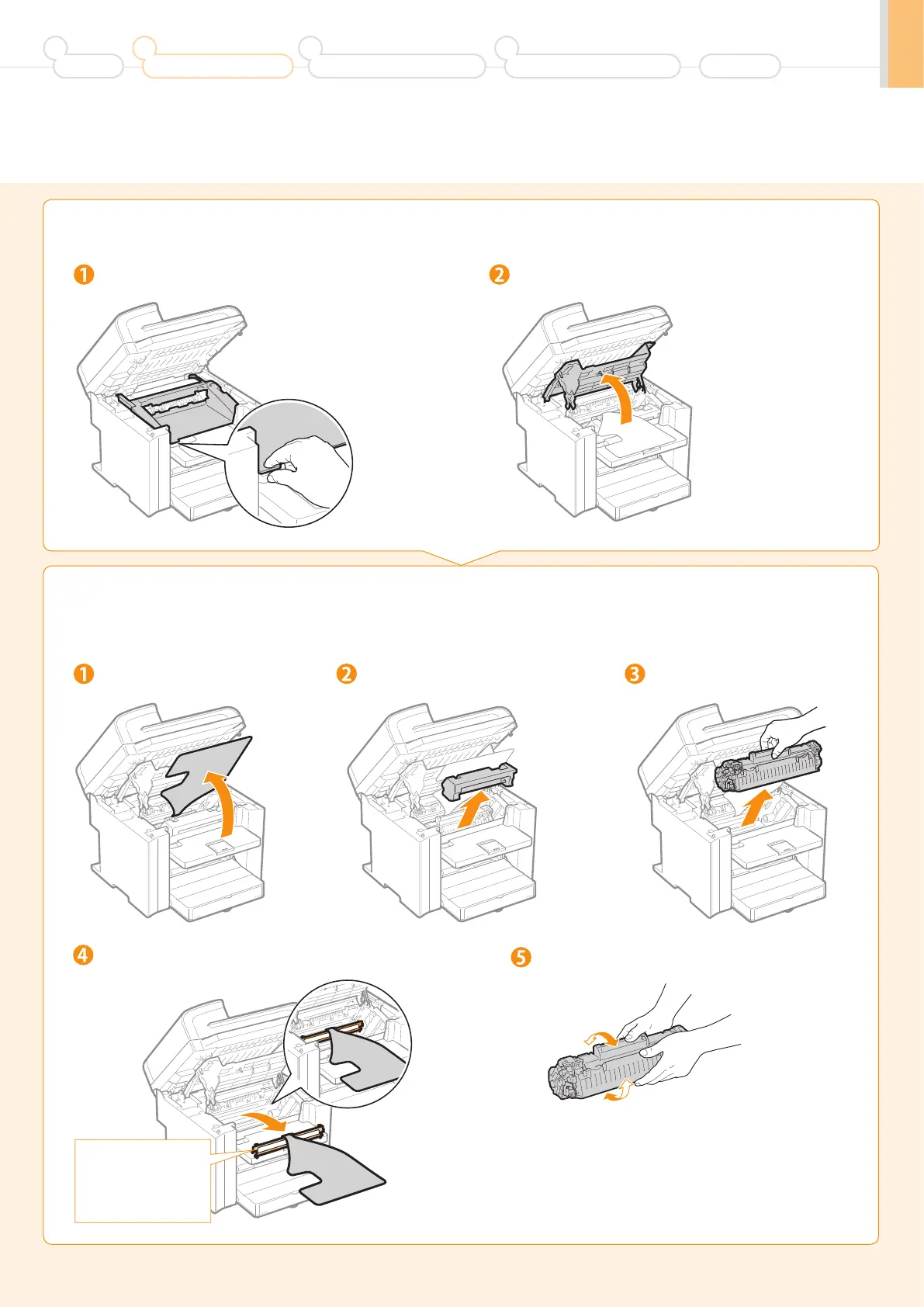
Remove the packing materials from the toner cartridge, and then
distribute the toner.
2.
Open the toner cover.
Open the toner cover.
Remove the packing material.
Hold the grip on the left front side of toner cover.
Turn the sheet to the back. Remove the toner cartridge.
Shake five to six times.
This part (a plastic part
attached to the end of
paper) is also a packing
material. Be sure to
remove it.
Remove the packing material.
Preface
1
Installing the Machine
2
Configuring and Connecting the Fax
3
Connecting to a Computer and
Installing the Drivers
4
Appendix







 To Next Page