10-5
Registering/Setting the Various Functions
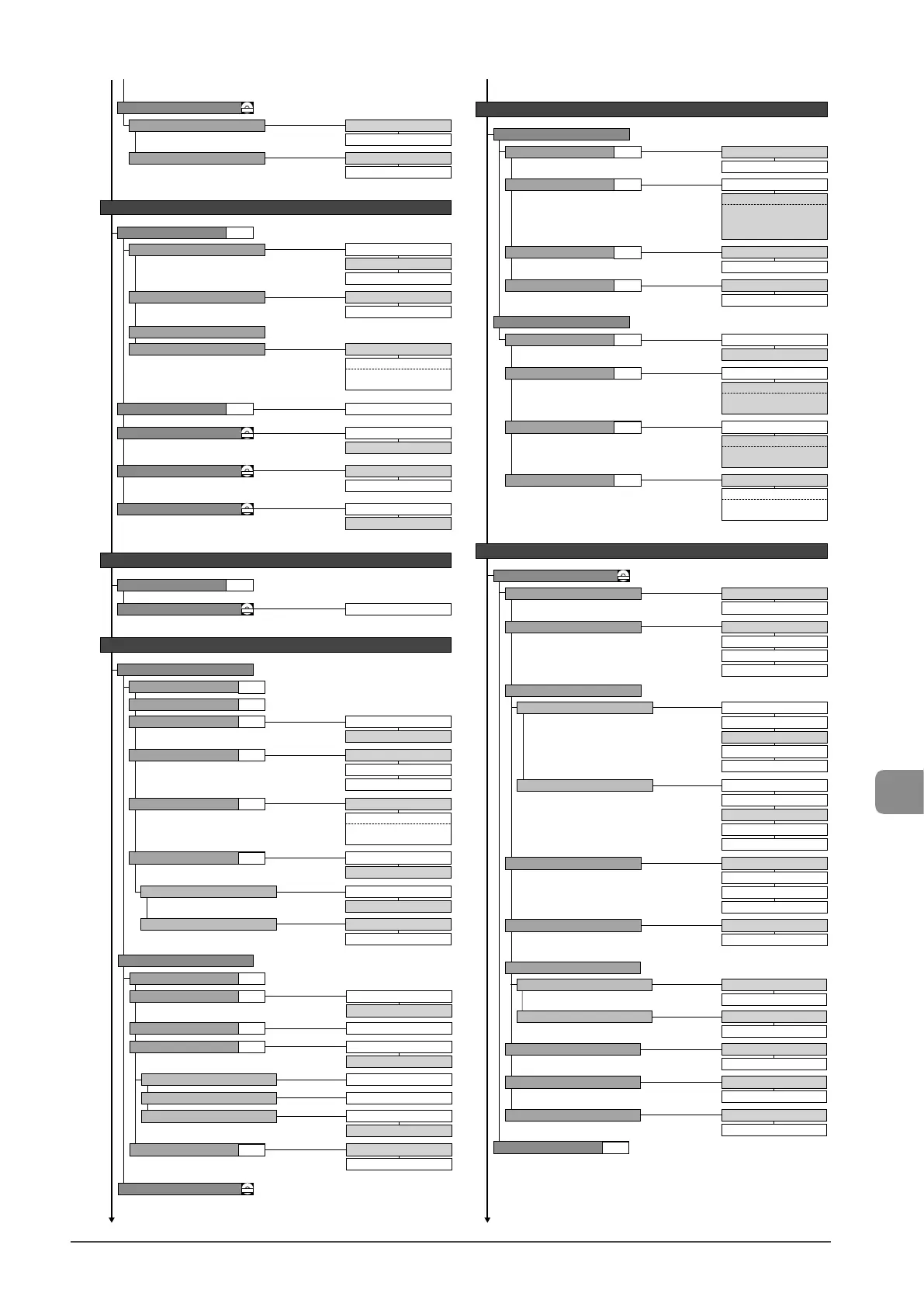
RX Function Settings
Fax RX Settings
10 to 240 (minutes)
Sleep Timer
-4 to 0 to +4
Correct Density
0=Off
1 to 2 to 9 (minutes)
Auto Reset Timer
Default Screen
Selected Screen
Screen After Auto Reset
0=Off
1 to 5 to 60 (minutes)
Auto Offline Time
Off
Mode 1
Mode 2
Mode 3
Mode 4
Copy
Off
Mode 1
Mode 2
Mode 3
Mode 4
Fax
Continues to the upper right
Continues from the previous page Continues from the lower left
Off
On
2-Sided Printing
Special Processing
Adjustment/Maintenance
Off
On
Special Mode U
Off
On
Special Mode C
Off
Mode 1
Mode 2
Mode 3
Special Mode V
Off
Mode 1
Mode 2
Mode 3
Special Mode B
Special Mode Z
Fax Settings
Off
On
ECM RX
Off
Incoming Ring
Off
On
RX Page Footer
Off
On
Continue Print. When Toner Is Nearly Out
Reduce RX Size
Off
On
- Ratio: Auto, 97, 95, 90, 75(%)
- Direction: Vertical/Horizontal,
Vertical Only
Timer Settings
Time & Date Settings
Copy Settings
Change Defaults
Paper Feed Method Switch
Print Speed Priority
Print Side Priority
Multi-Purpose Tray
Print Speed Priority
Print Side Priority
Drawer 1
12 Hour (AM/PM)
24 Hour
12/24 Hour Clock
Off
Daylight Savings
Current Time Settings
DD/MM YYYY
MM/DD/YYYY
Date Display Type
On
- Start (M/D)
- End (M/D)
Fax TX Settings
Basic Settings
Dial 10 PPS
Tone
Select Line Type
Off
On
Sender ID
Off
Off-Hook Alarm
Direct
Adapter 1
Adapter 2
Public Line Connection
Register Unit Name
Register Unit Telephone Number
On
- Off-Hook Alarm Volume:
1 to 5
On Image
Above Image
FAX
TEL
Print Location
Mark Number. as
Continues to the next page
On
- Ring Times: 1 to 2 to 99
(times)
Off
Remote RX
On
- Remote RX ID: 00 to 25
to 99
Off
Auto RX Switch
On
- Incoming Ring Time: 1 to
15 to 99 (seconds)
CD-ROM
CD-ROM
CD-ROM
CD-ROM
CD-ROM
CD-ROM
P.1-12
P. 1 -11
P. 3 -9
P.6-20
P.6-20
P.6-20
P.6-20
P.6-20
P.6-20
P.6-22
P.6-22
P.6-22
P.6-22
P.6-22
P.6-23
P.6-23
P.6-23
Redial Interval
Redial When Error Occurs
Redial Times
1 to 2 to 10 (times)
2 to 99 (minutes)
Off
On
Change Defaults
Off
On
ECM TX
Off
On
Auto Redial
Off
On
Check Dial Tone Before Sending
1 to 2 to 15 (seconds)
Pause Time
TX Function Settings
Fax Setup Guide
YYYY MM/DD
CD-ROM
P.6-18
P.6-20
P.6-21
P.6-21
P. 6 -2 1
Off
On
Copy
Off
On
Print
Special Mode D
Clean Fixing Unit
Off
On
Special Mode I
Off
On
Special Mode J
Off
On
Special Mode K
P. 8 -3










 To Next Page