Application Library button
Use this button to perform convenient functions by a one-touch
operation. For more information, see the manual on Application
Library on the online manual website.
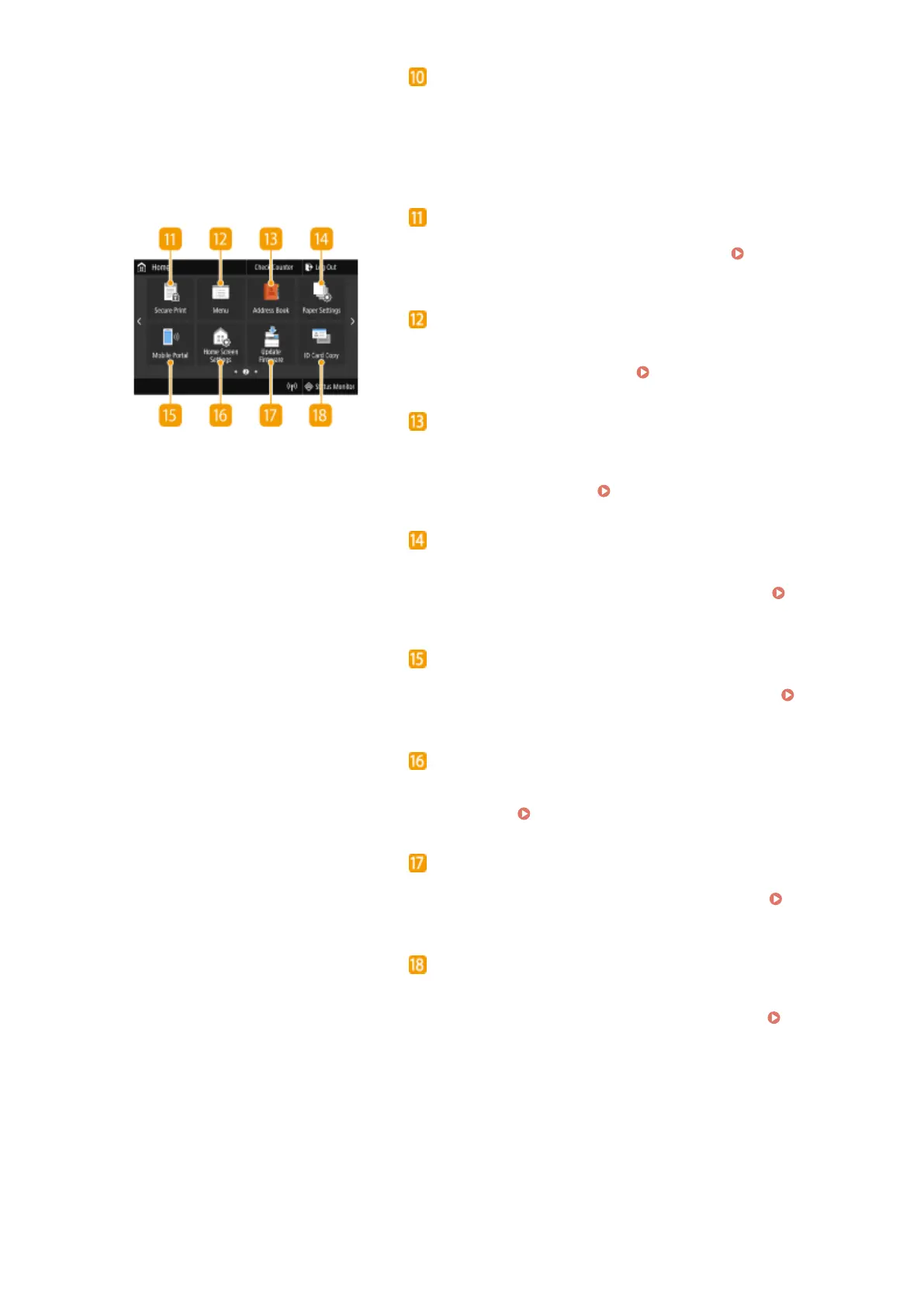
<Secure Print>
Use this function to print a secure document. Printing a
Document Secured by a PIN (Secure Print)(P. 266)
<Menu>
<Function Settings>, <Preferences>, and many other machine
settings start from this button.
Setting Menu List(P. 442)
<Address Book>
Use this to register or edit the destinations for e-mails and
faxes. You can also display a registered destination when
sending an e-mail or fax.
Registering Destinations(P. 182)
<Paper Settings>
This button is also used for specifying the size and type of paper
loaded in the paper drawer and multi-purpose tray.
Specifying Paper Size and Type(P. 159)
<Mobile Portal>
Use this to establish a connection to a mobile device.
Connecting with Mobile Devices(P. 325)
<Home Screen Settings>
Allows you to change the order that Home screen buttons are
displayed in.
Customizing the Home Screen(P. 171)
<Update Firmware>
Allows you to update the rmware via the Internet.
Updating
the Firmware(P. 437)
<ID Card Copy>
Use this function to copy the front and back sides of a driver's
license or other card onto the same side of a page. Making
ID Card Copies(P. 211)
Basic Operations
123







 To Next Page