EasyManua.ls Logo

Canon imageCLASS MF632Cdw - Clearing Paper Jams

Canon imageCLASS MF632Cdw
779 pages
Print Icon
To Next Page IconTo Next Page
To Previous Page IconTo Previous Page
Loading...
Clearing Paper Jams
1647-0EE
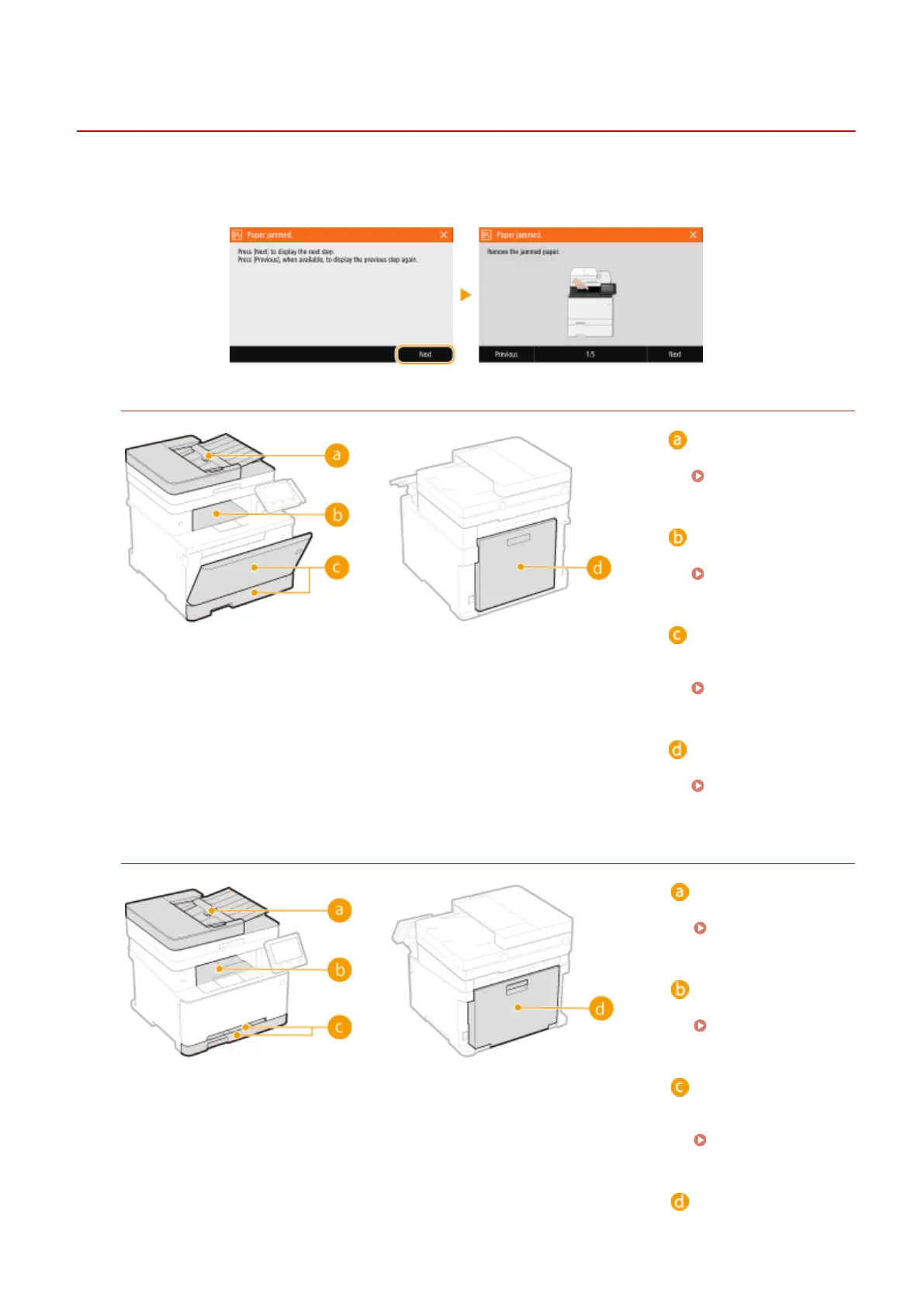
If a paper jams, <Paper jammed.> is displayed on the screen. Select <Next> to display simple solutions. If it is dicult
to understand the procedures on the display, see the following sections to clear jams.
MF735Cdw / MF733Cdw / MF731Cdw
Feeder
Paper Jams in the
Feeder(P. 670)
Output tray
Paper Jams in the
Main Unit(P. 672)
Multi-purpose tray/
Paper drawer
Paper Jams in a
Paper Source(P. 675)
Back side
Paper Jams in the
Main Unit(P. 672)
MF634Cdw / MF632Cdw
Feeder
Paper Jams in the
Feeder(P. 670)
Output tray
Paper Jams in the
Main Unit(P. 672)
Manual feed slot/
Paper drawer
Paper Jams in a
Paper Source(P. 675)
Back side
Troubleshooting
668

Table of Contents

Related product manuals