26
Auto Power OFF Setting
If scanning or any other operation is not performed on the flatbed for
4 hours, the flatbed will automatically turn OFF.
To disable this setting, perform the following.
1
Start CapturePerfect.
2
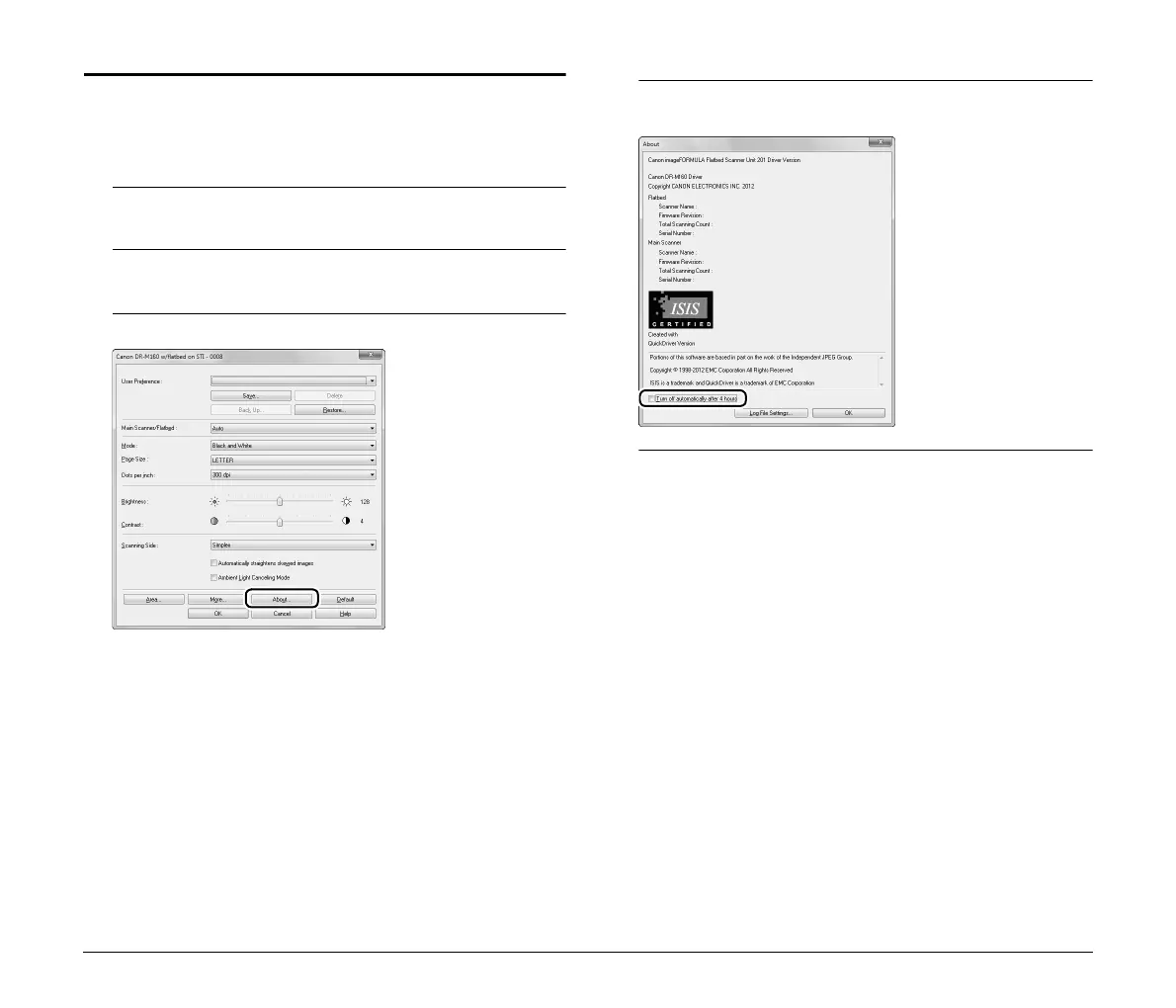
Select [Scanner Setting] from the [Scan] menu.
The scanner settings dialog box appears.
3
Click [About].
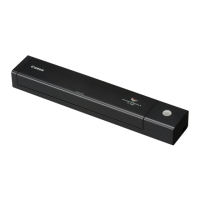
The version information dialog box appears.
4
Disable the [Turn off automatically after 4 hours] check
box.
5
Click [OK] to close the version information dialog box.










 To Next Page