16
▀
Selecting Paper Types from the Paper Database
Select the loaded paper type from the Paper Database.
1
Press (Settings/Registration).
2
Press [Preferences] [Paper Settings] [Paper Settings].
3
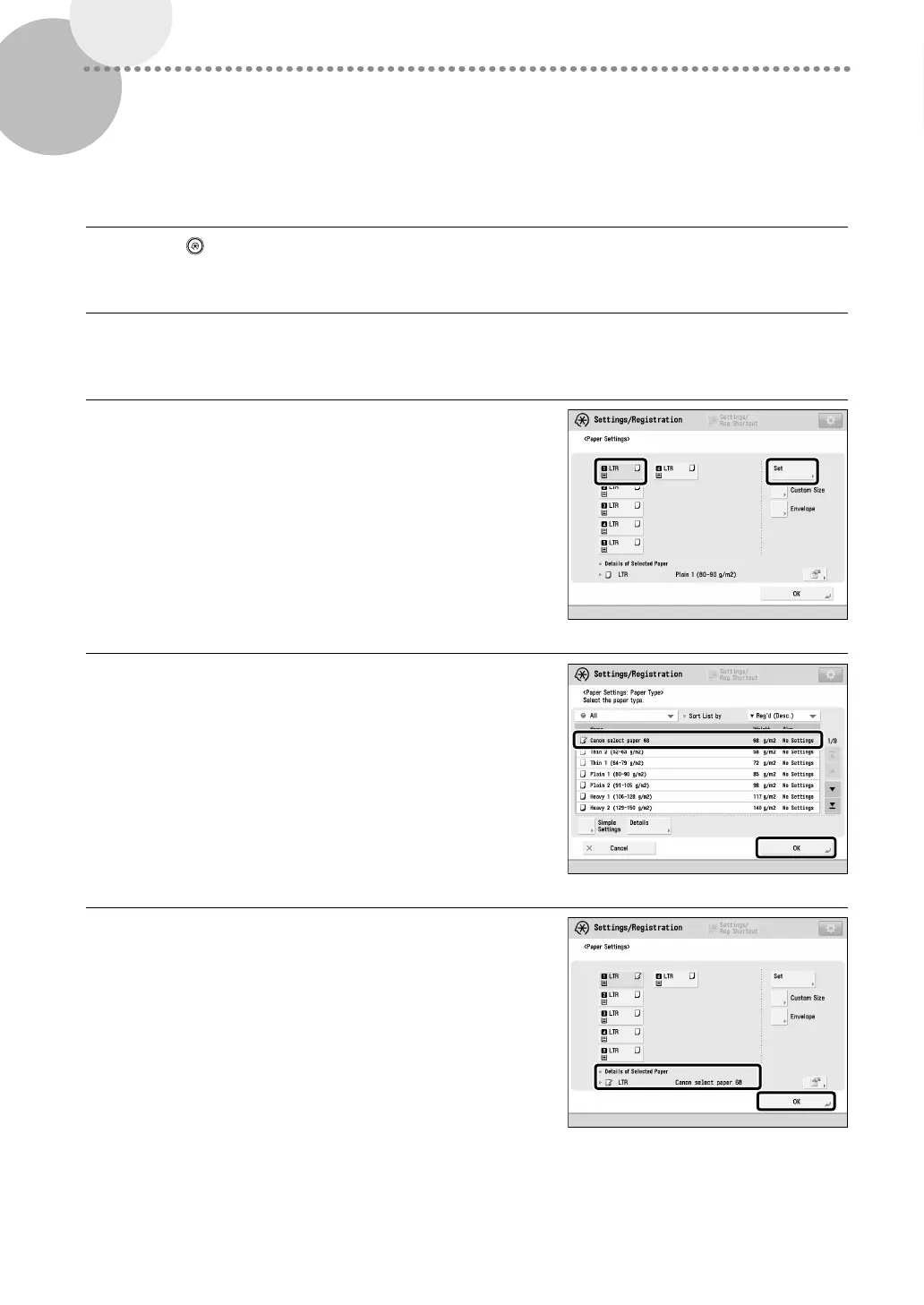
Select the paper source in which you loaded paper
press [Set].
•
If you load paper other than standard paper, select [Custom
Size] or [Envelope].
4
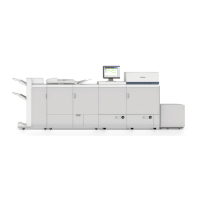
Select the loaded paper type from the list press [OK].
5
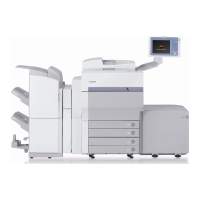
Confirm that the selected paper type is displayed in
<Details of Selected Paper> press [OK].




 To Next Page