18
▀
Cleaning the Feeder
If originals which are fed from the feeder become dirty, follow the cleaning procedure below. Clean with a cloth which
is wrung after being dampened in water, and then clean with a soft and dry cloth. Use the provided glass cleaning
cloth for simple cleaning.
1
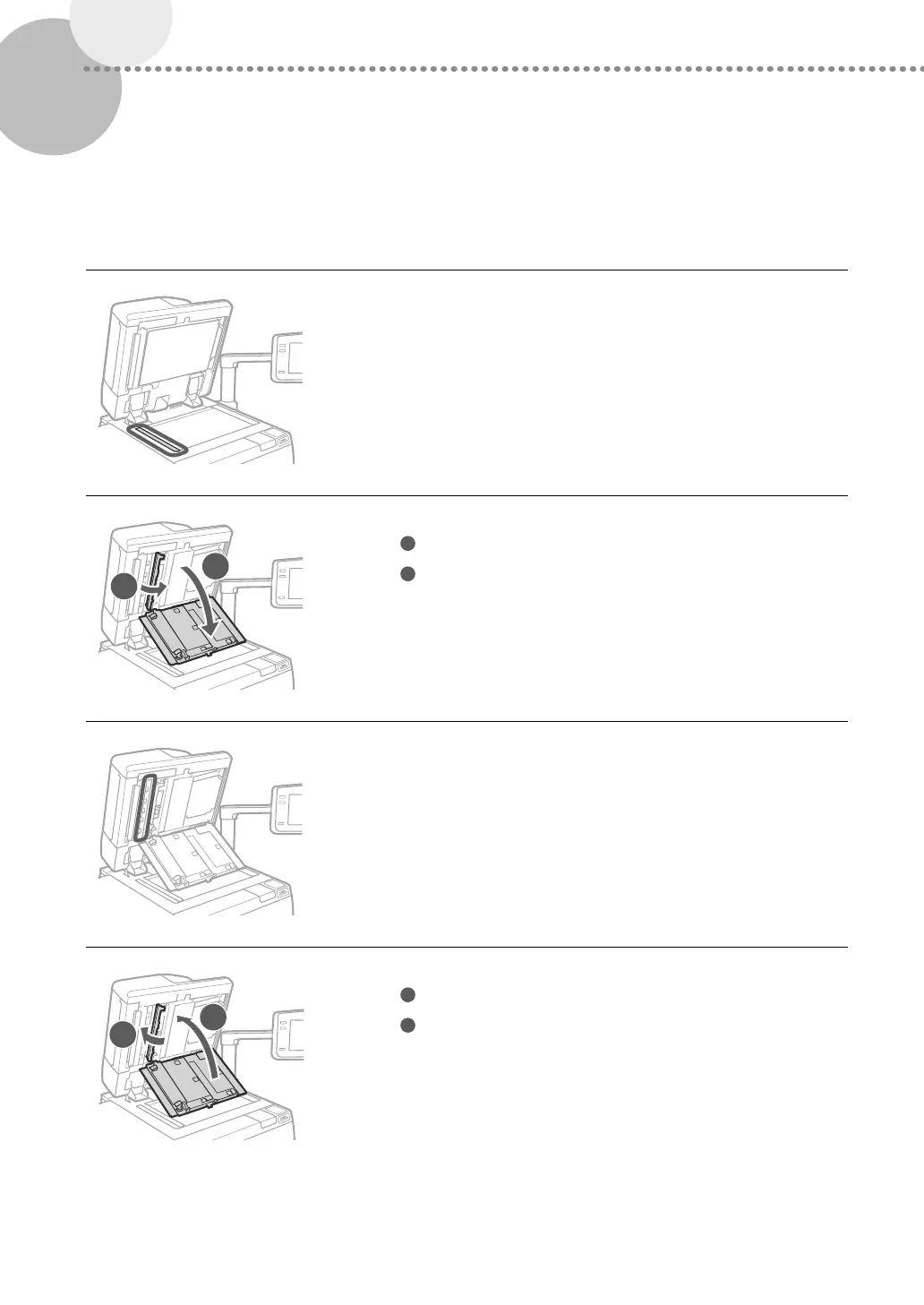
Clean the original scanning area.
•
Open the feeder and clean the original scanning area (thin glass
strip).
2
1
2
Open the covers.
1
Pull the lever above the feeder, and open the cover.
2
Open the inside cover.
3
Clean the original scanning area of the feeder.
1
2
4
Close the covers.
1
Close the inside cover.
2
Close the cover.




 To Next Page