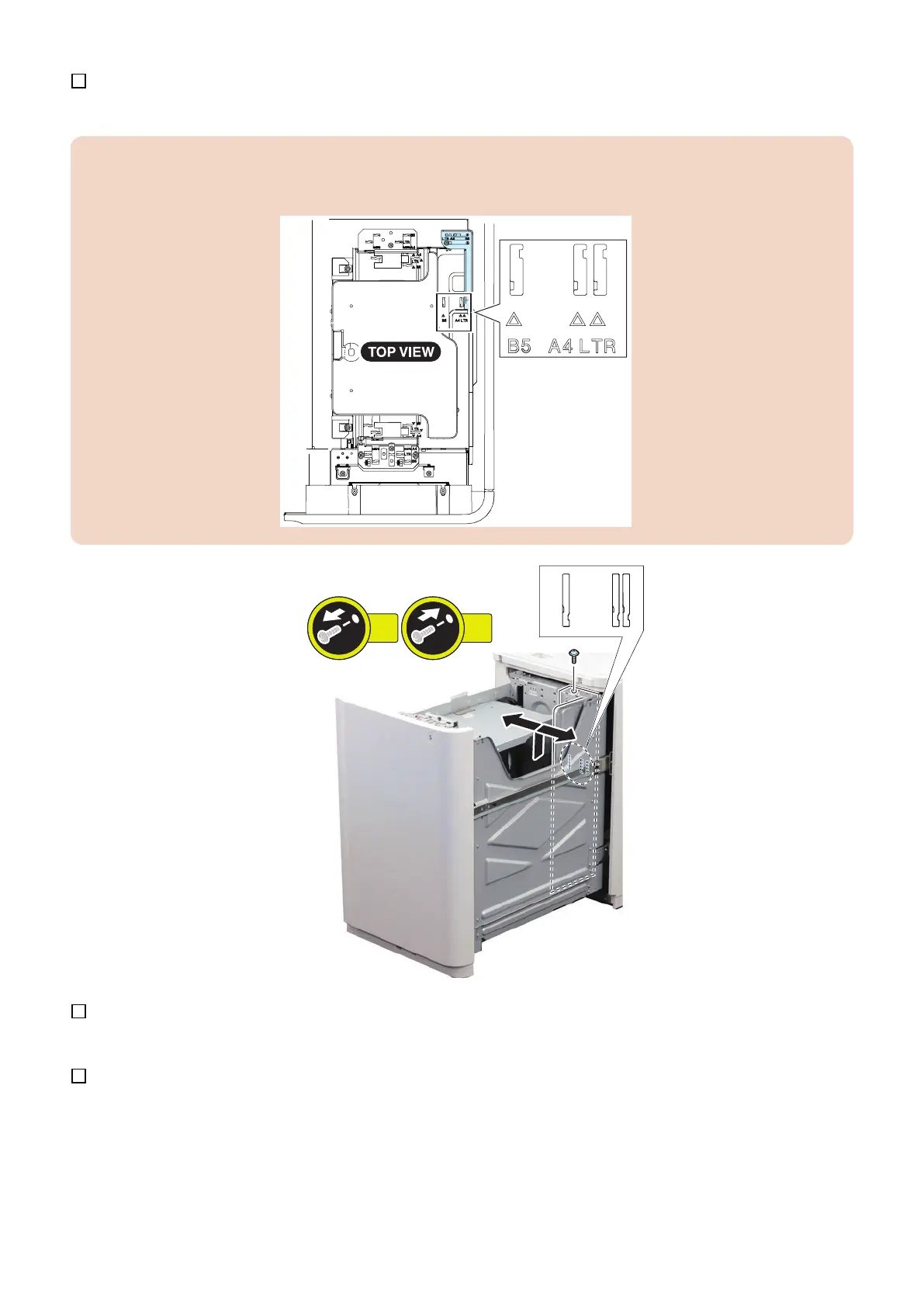
3. Relocate the rear edge guide plate at the specified paper size.
CAUTION:
Paper size is marked on both top and bottom of the compartment. Check that the marked paper size is the specified paper
size when relocating the rear edge guide plate.
4. Set sheets of paper in the compartment and close it.
5. Set the paper size on the service mode.
(Lv.1) COPIER > OPTION > ACC > DK-P
• 0: A4
• 1: B5
• 2: LTR
5. Paper Feed Options
357




 To Next Page