Document Insertion Unit-R1
Checking before Installation
The installation site must satisfy the conditions given below.
Therefore, it is recommended that the installation site be looked over before delivering this equipment to the customer.
CAUTION:
• Install the host machine first and then install this equipment.
• Do not carry this equipment with the host machine is installed for prevention of breakage.
■ Checking the power supply
1. The equipment must be connectable to the outlet that can supply the rated voltage +10/-15% at the specified ampere or
higher.
120V - 230V 1A
2. When connecting the power plug of this equipment to an outlet, be sure to use an outlet of a system different from that of
the host machine.
3. Install this machine near the power outlet and leave sufficient space around the power plug so that it can be unplugged easily
in an emergency.
■ Points to Note before Installation
When installing the machine, be sure to note the following points.
• Refer to "Order of Installation of options" when installing this equipment.
• The weight of this equipment is approx. 61.0 kg. Be sure to work in a group of 2 persons or more.
• When moving this equipment after having unpacked it, be careful by placing a plate, etc. on areas with steps to prevent the
casters from hitting those steps. If the casters hit a step, the casters or the base plate may be deformed.
• When this equipment is moved, ensure that the overturning prevention stay is drawn out before moving it.
• To connect the Document Insertion Unit to Staple Finisher or Booklet Finisher, this Option Controller Kit is necessary.
• Be sure to install the Option Controller Kit to the Document Insertion before connecting the Document Insertion Unit to the
upstream equipment.
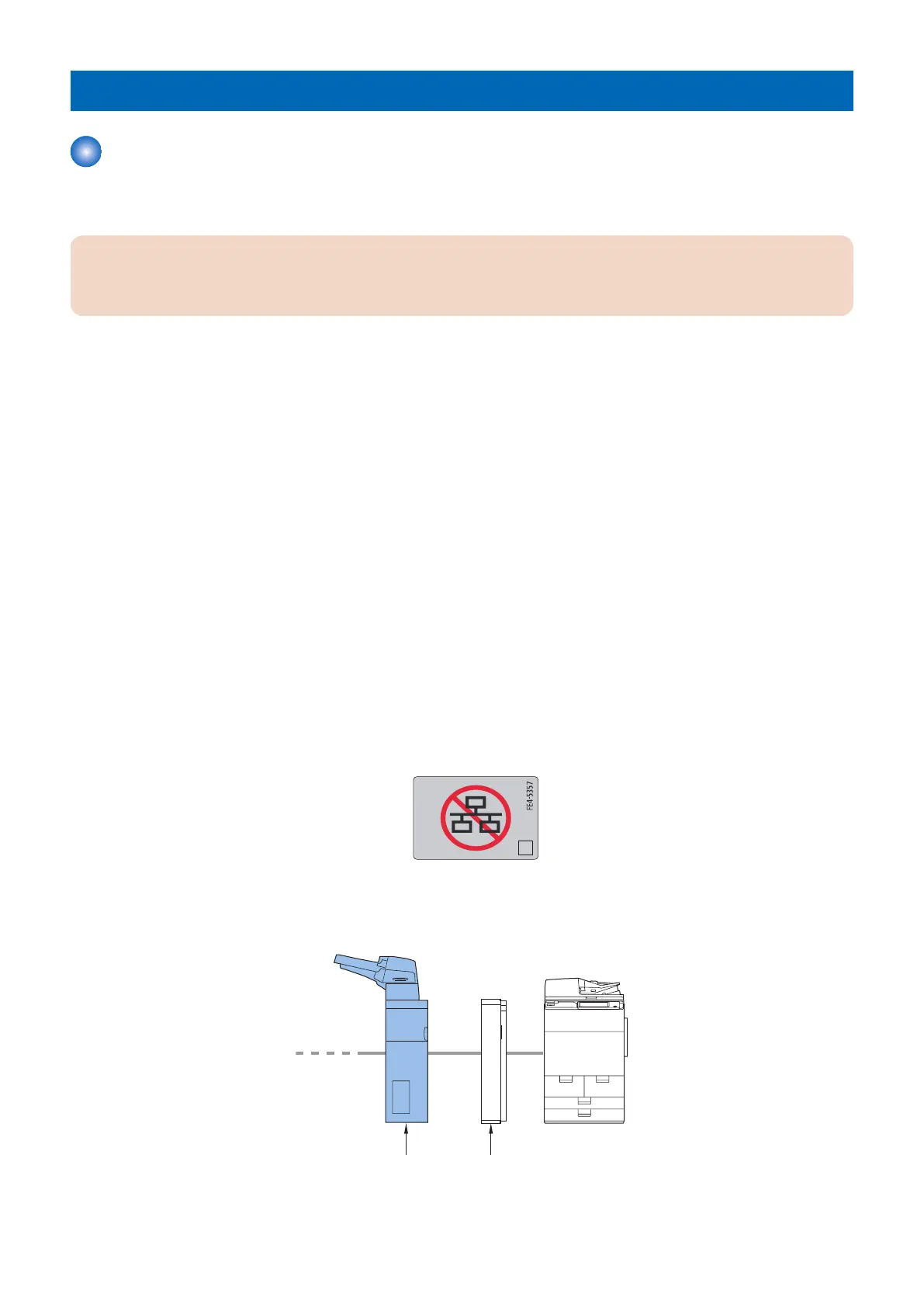
• The label shown below is attached to locations where connection of a network cable is prohibited. Do not connect the
customer's network cable to the port where the connection prohibition label is affixed.
■ Installation Order of Options
When installing the equipment with other options, install the host machine first and then install options in the following order:
Buffer Pass Unit
Document
Insertion Unit
1. Buffer Pass Unit
6. Paper Output Options
568









 To Next Page