Installing the Printer Driver (Windows)
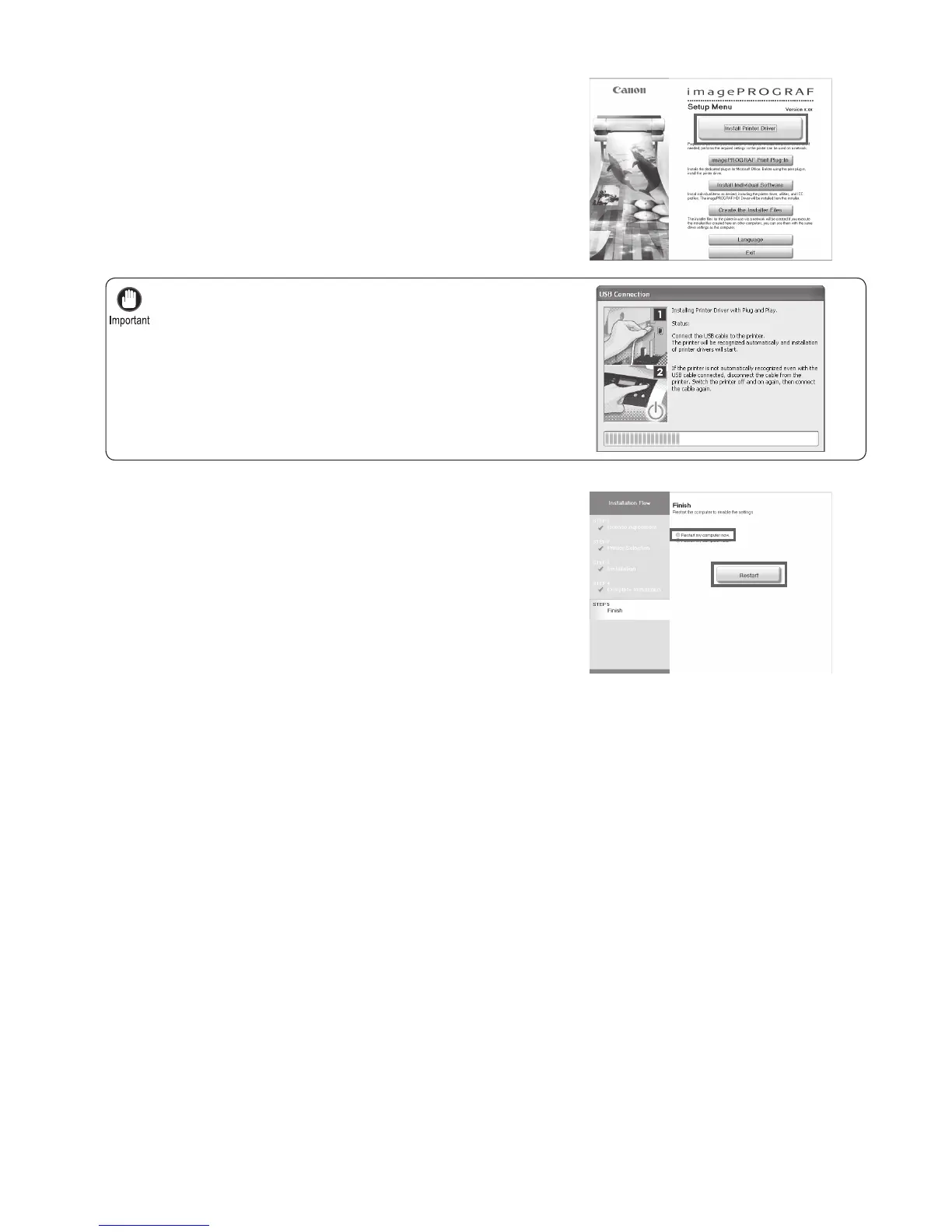
For USB connections, when the dialog box at right is displayed,
make sure the printer is on and connect the printer and computer
with the USB cable.
•
13
3
4
5
Follow the instructions displayed to complete installation.
On the Finish window, select Restart my computer now
and click Restart .
Next, install the User Manual .
Printer driver settings take effect after the computer
restarts.
When the Install User Manual dialog box is displayed,
insert the provided User Manuals CD-ROM in the CD-
ROM drive to start the installation process.















 To Next Page