6
Preparing to Transfer the Printer
Turn off the printer before you unplug it. It may damage the printer if you unplug it before it is off and
transfer it in that state. If you accidentally unplug the printer, plug it in again, reinstall the Ink Tank , wait
until the printer comes online, and follow this procedure again.
•
Here, the Belt Stopper is the one that was removed and stored after initial installation. Neglecting to
attach the Belt Stopper may damage the printer.
•
3
2
4
1
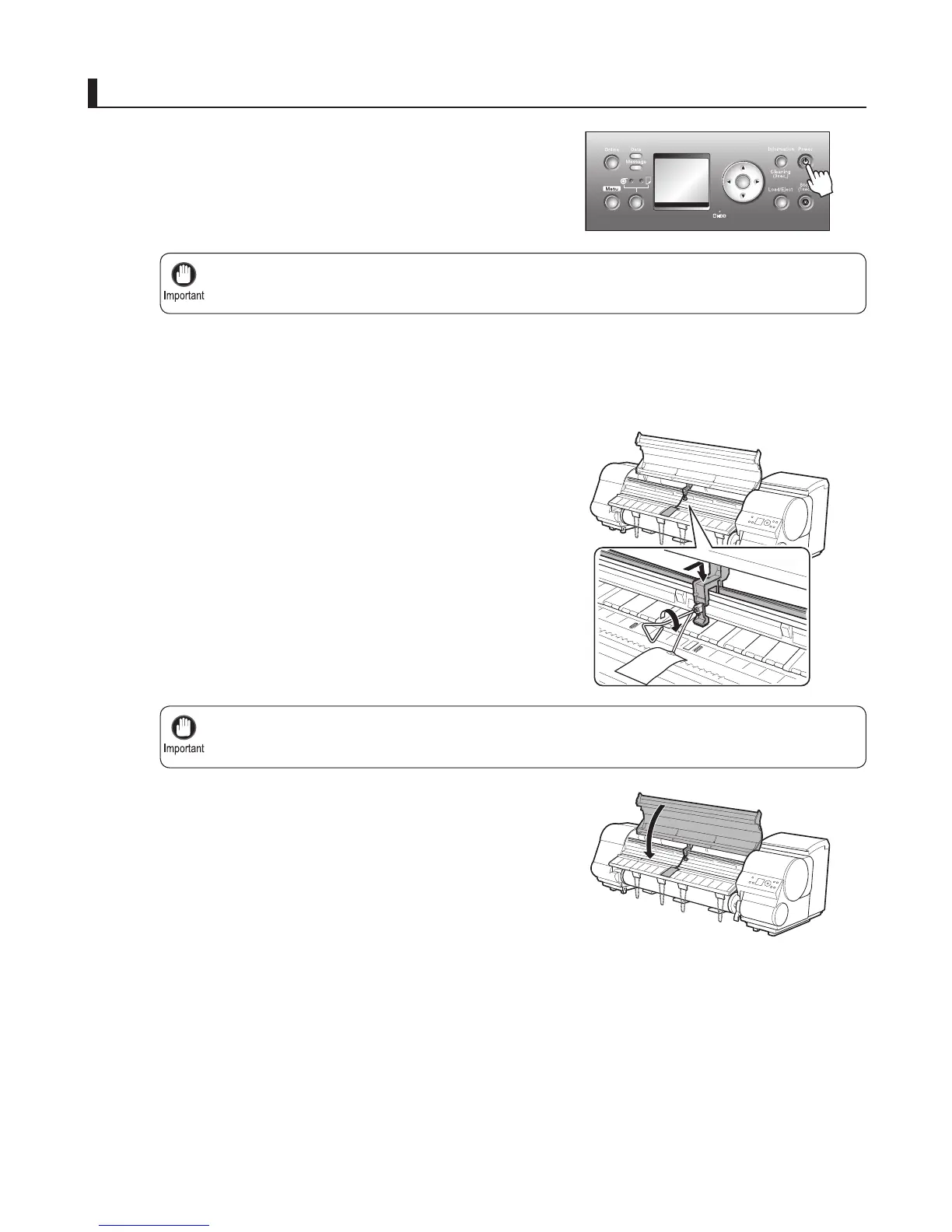
Open the Top Cover , grasp the Belt , insert it between the
Belt Stopper , and affi x the Belt Stopper with a hex screw
at the position indicated.
Disconnect the power cord and interface cable. Also
disconnect the power cord of the Roll Unit and Media
Take-up Unit , if your model is equipped with these units.
Close the Top Cover .
Press the Power button and turn off the printer.
Pack the printer
OK















 To Next Page