The Stand must be assembled by at least two people on a fl at surface. Attempting assembly by yourself poses a
risk of injury or bending the Stand .
•
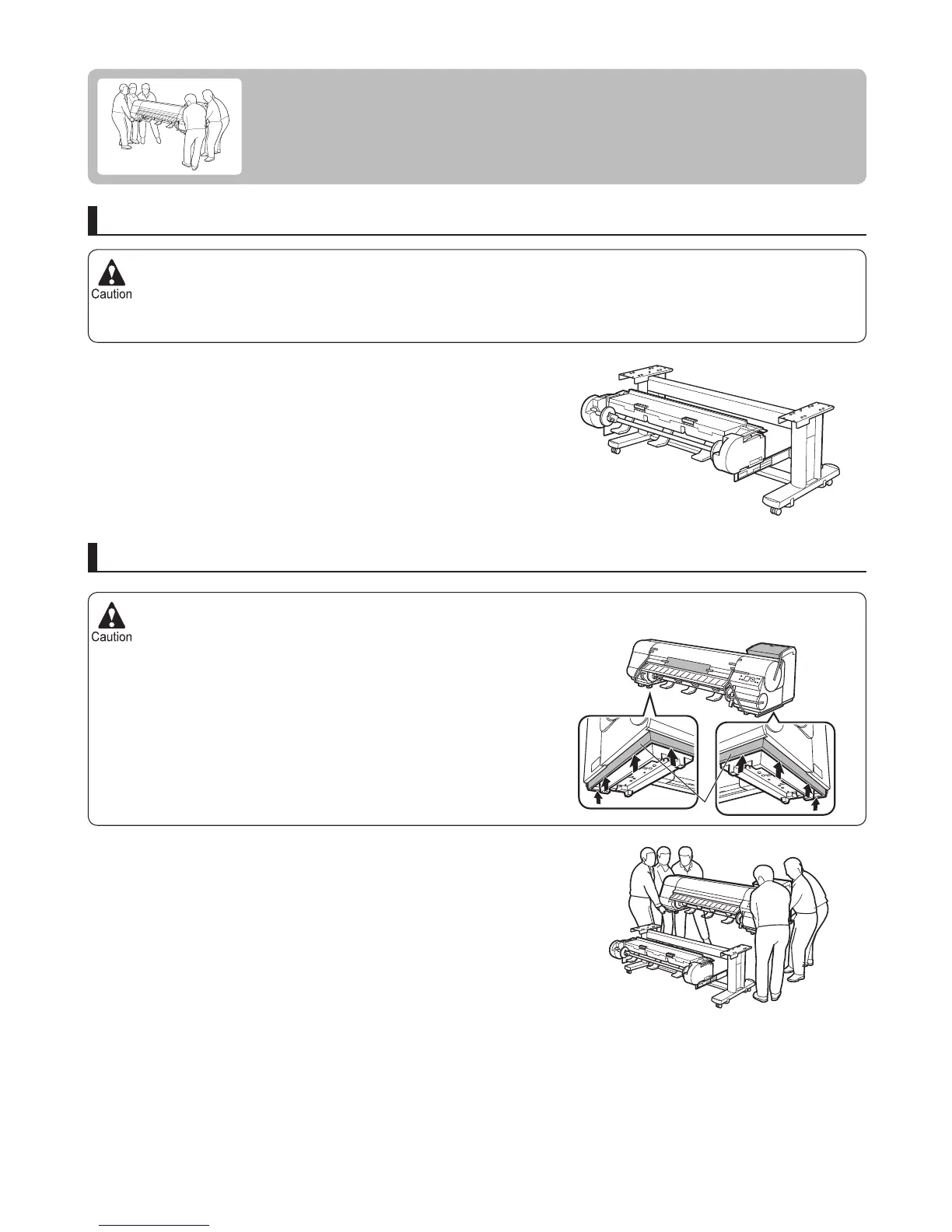
The iPF815 or iPF825 alone weighs approximately 112 kg. Moving the printer requires at least six people, holding it
on both sides. Be careful to avoid back strain and other injuries.
•
When moving the printer, fi rmly grasp the Carrying Handles (a)
under each side. The printer may be unsteady if you hold it at other
positions, which poses a risk of injury from dropping the printer.
•
When assembling the Stand , lock the casters. In addition, always unlock the casters before moving the assembled
Stand . Attempting to move the stand when the casters are locked poses a risk of injury or damage to the location
site.
•
8
Reinstalling the Printer
The basic workfl ow for reinstalling the printer is as follows.
For detailed instructions, see the Setup Guide .
Install the printer
Referring to the Printer Stand Setup Guide , assemble the Stand .
Mount the printer on the assembled Stand and tighten the screws
fi rmly.
For the iPF825 , mount the Roll Unit on the Stand .
Assemble the stand
a















 To Next Page