Important
•
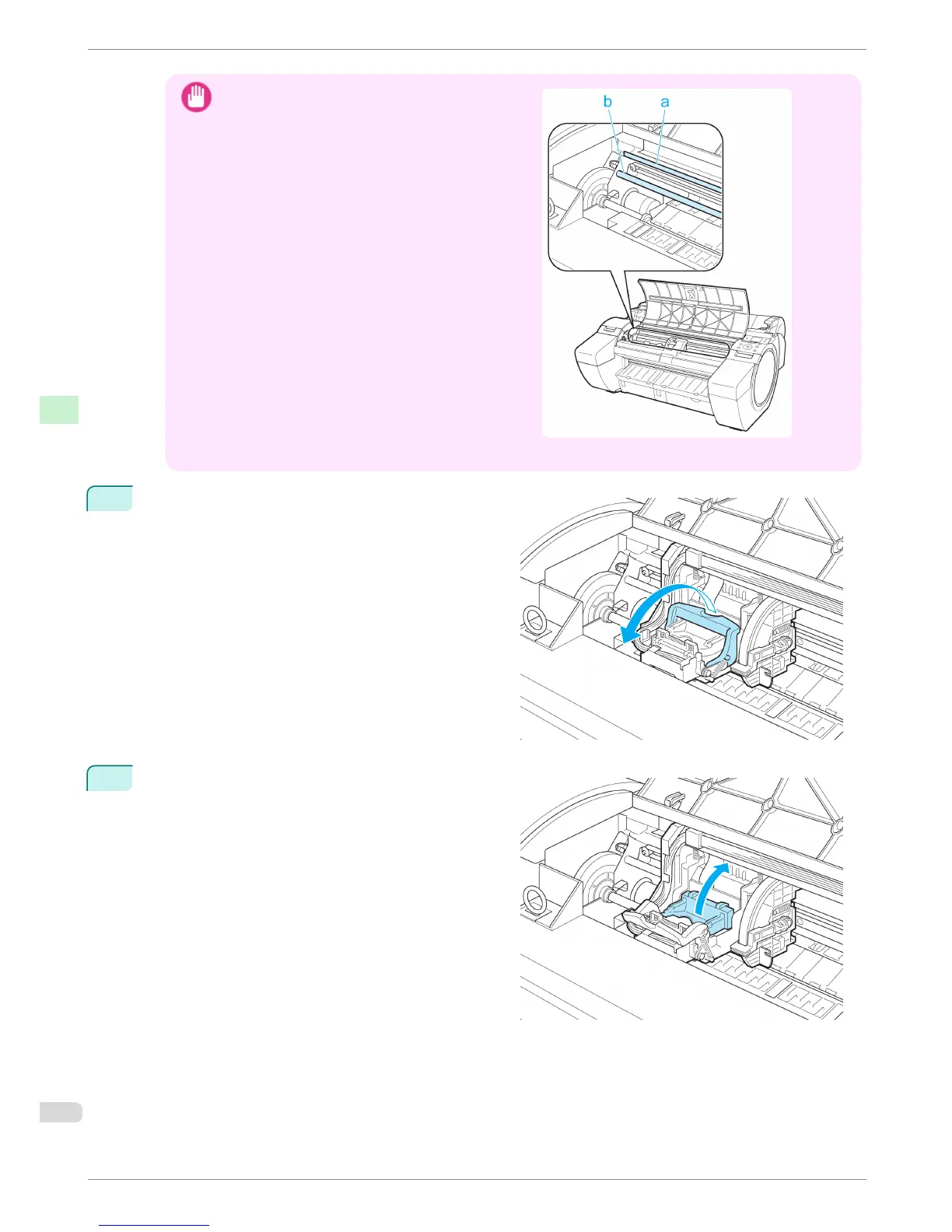
Do not touch the Linear Scale (a) or Carriage
Shaft (b). Touching these parts may damage
them.
•
Never touch the metal contacts of the Carriage. This may damage the printer.
3
Pull the Printhead Fixer Lever forward all the way to
open it completely.
4
Pull up the Printhead Fixer Cover to open it complete-
ly.
Replacing the Printhead
iPF680 Series
Basic Guide
Consumables and Maintenance Printheads
32














 To Next Page