5
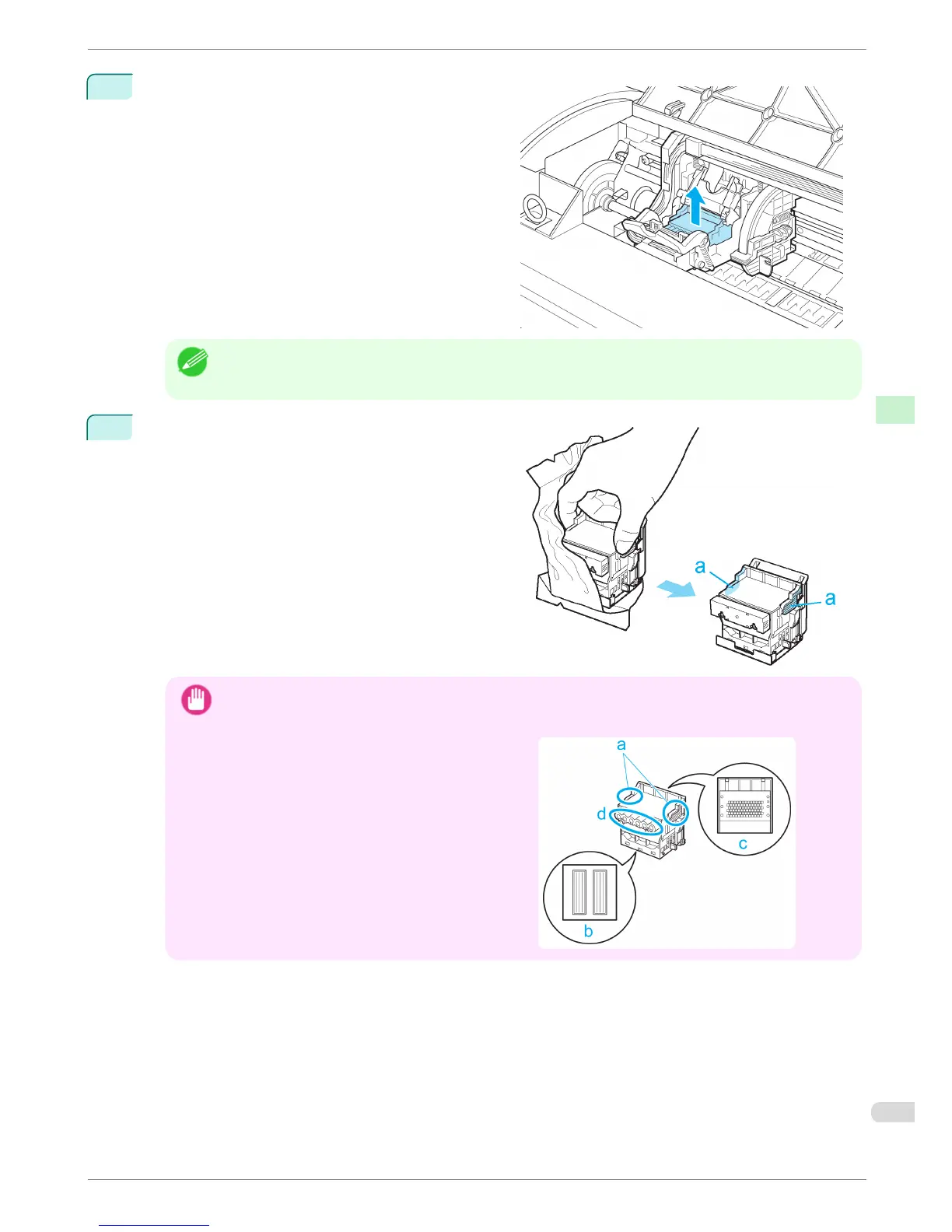
Remove the Printhead and press the OK button.
Note
• Dispose of the used Printhead in accordance with local regulations.
6
Holding the new Printhead by the grips (a), remove it
from the pouch.
Important
• When handling the Printhead, always hold it by the grips (a). Never touch the nozzles (b) or metal con-
tacts (c). This may damage the Printhead and affect printing quality.
•
Never touch the ink supply section (d). This may
cause printing problems.
iPF680 Series
Replacing the Printhead
Basic Guide
Consumables and Maintenance Printheads
33














 To Next Page