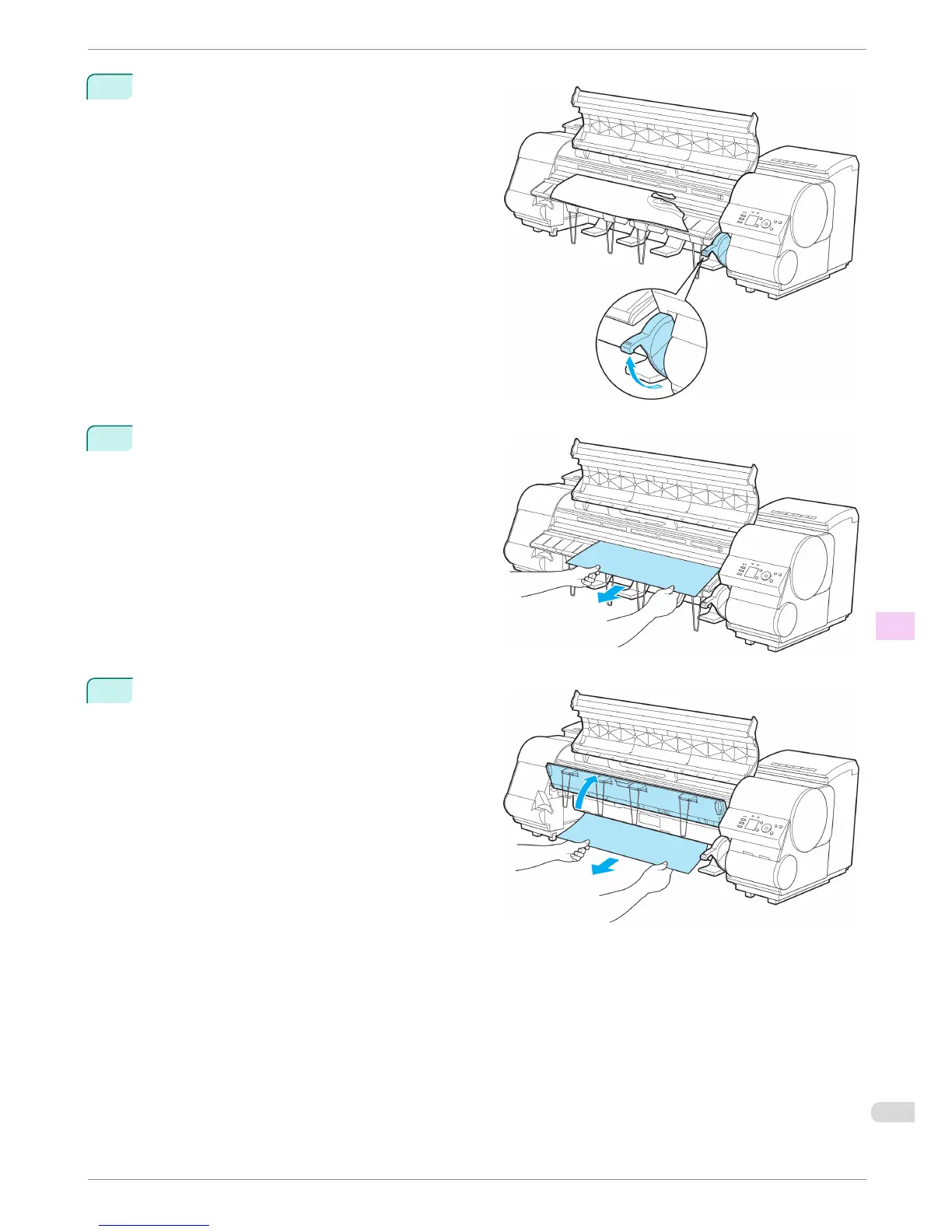
4
Lift the Release Lever.
5
If the paper is visible, hold the paper and pull it out
toward the front.
6
If the paper is not visible, lift the Ejection Guide, re-
move the Roll Holder, and clear the paper jam from
below.
After removing the paper, make sure there are no
other scraps of paper in the printer, and then lower
the Ejection Guide.
iPF8400
Clearing a Jammed Sheet
Basic Guide
Troubleshooting Problems Regarding Paper
107














 To Next Page