Enlarged/Reduced Printing
Enlarged/Reduced Printing
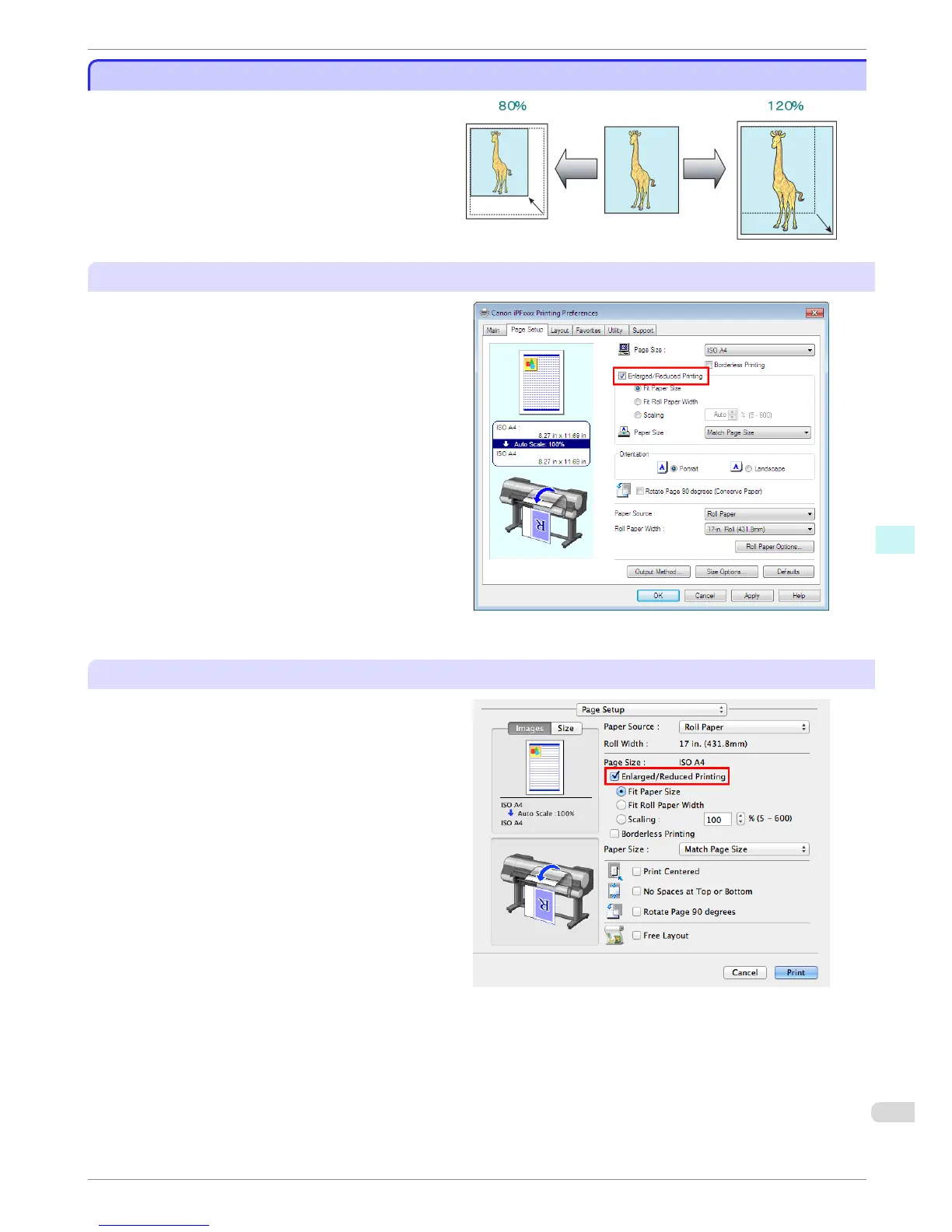
Originals can be printed at larger or smaller sizes, as
desired.
Configuring Settings in Windows
1. Access the Page Setup sheet.
2. Click the width of the loaded roll in the Roll Paper
Width list.
3. In the Page Size list, click the size of the original
as specified in the source application.
4. Select the Enlarged/Reduced Printing check box.
5. Select Fit Paper Size, Fit Roll Paper Width, or
Scaling.
Configuring Settings in Mac OS X
1.
Access the Page Setup pane.
2. Make sure the width of the loaded roll is displayed
in Roll Width.
3. Make sure the size of the original you have pre-
pared is displayed in Page Size.
4. Select the Enlarged/Reduced Printing check box.
5. Select Fit Paper Size, Fit Roll Paper Width, or
Scaling.
iPF8400
Enlarged/Reduced Printing
Basic Guide
Software Installation Convenient Printer Driver Features
95














 To Next Page