5
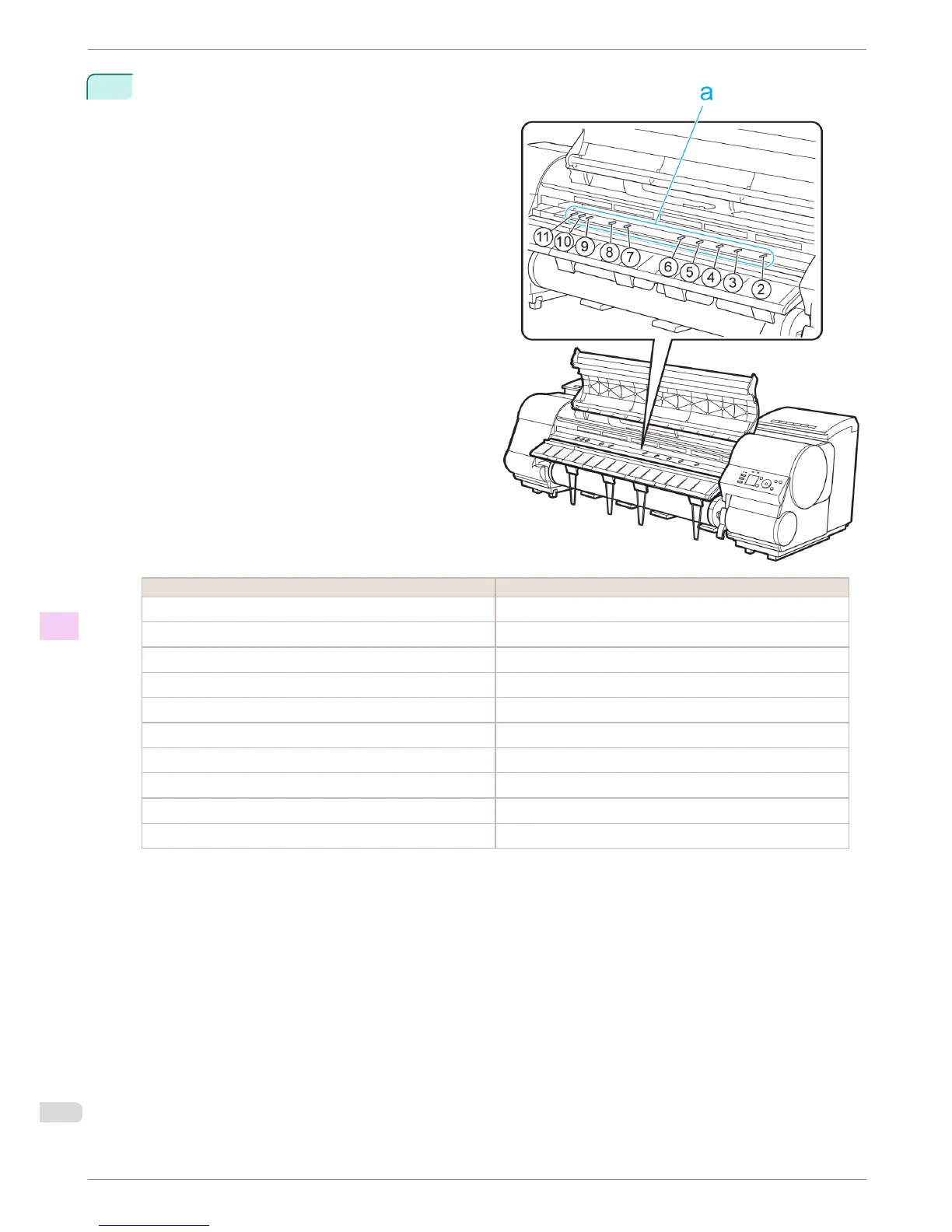
Refer to the following table to confirm the number
on the Platen (a) that corresponds to the size of pa-
per for printing.
Number Dimensions
2 254.0 mm (10.00 in)
3 355.6 mm (14.00 in)
4 431.8 mm (17.00 in)
5 515.0 mm (JIS B2 or B3)
6 594.0 mm (ISO A1 or A2) or 609.6 mm (24.00 in)
7 841.0 mm (ISO A0 or A1)
8 914.4 mm (36.00 in)
9 1030.0 mm (JIS B0 or B1)
10 1066.8 mm (42.00 in)
11 1117.6 mm (44.00 in)
Setting the Blue Switch on the Platen
iPF8400
Basic Guide
Troubleshooting Problems with the printing quality
120














 To Next Page