3
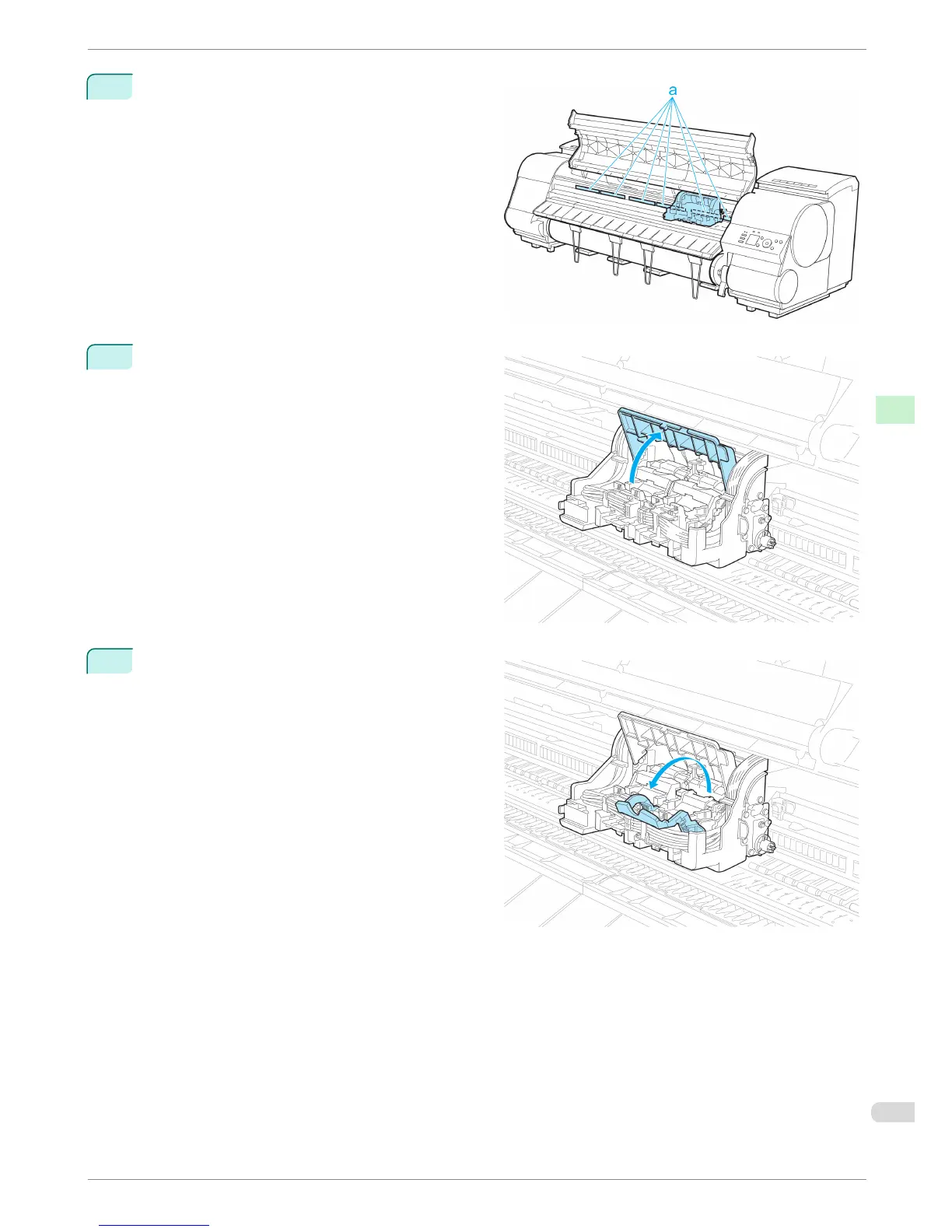
If the ventilation duct (a) is dirty, use a damp cloth
that you have wrung out completely to wipe it
clean.
If the Carriage is obscuring the ventilation duct,
move the Carriage manually before cleaning the
duct.
4
Pull up the Carriage Cover to open it completely.
5
Pull the Printhead Fixer Lever forward all the way
to open it completely.
iPF8400
Replacing the Printhead
Basic Guide
Consumables and Maintenance Printheads
37














 To Next Page