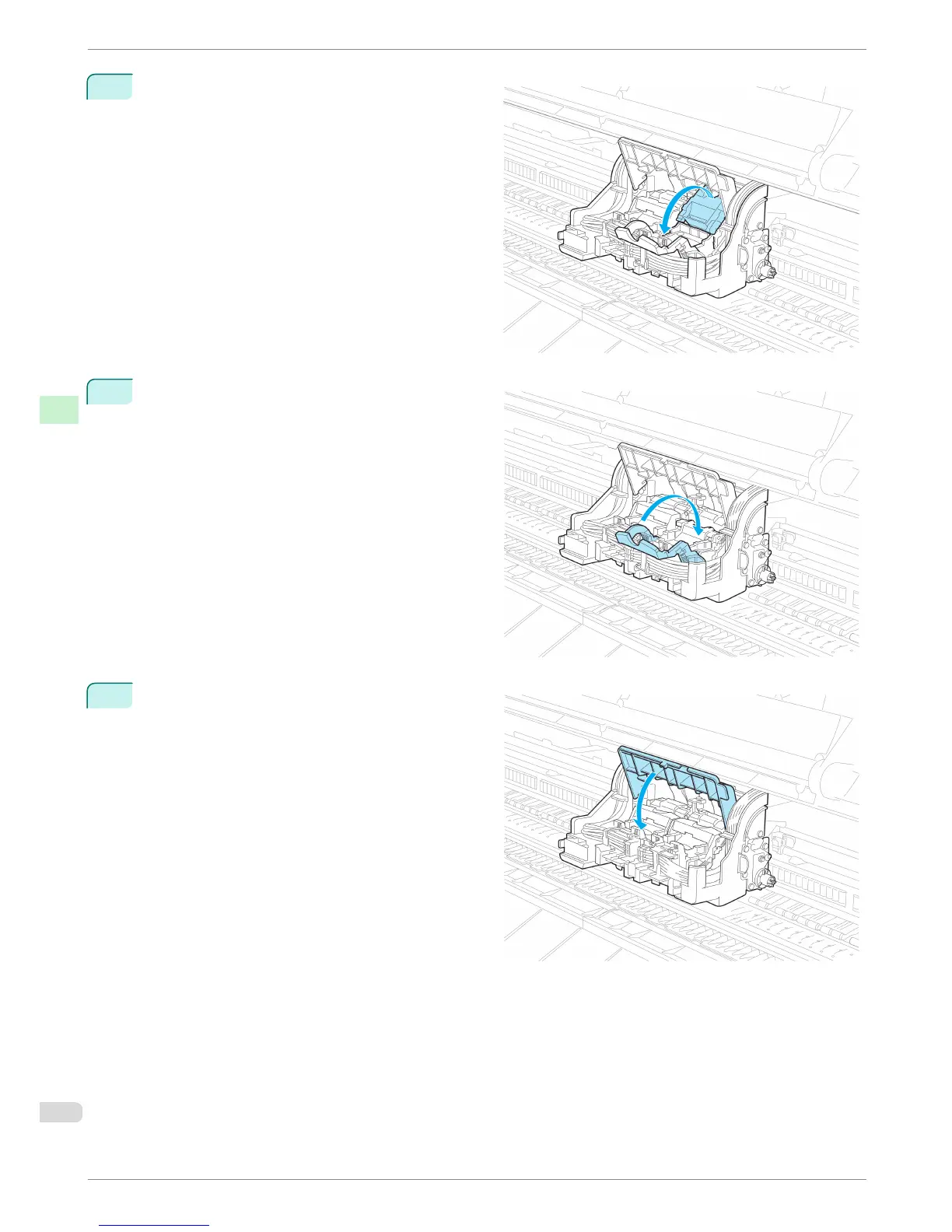
11
Pull the Printhead Fixer Cover down toward the
front to lock the Printhead in place.
12
Push the Printhead Fixer Lever toward the back of
the printer until it clicks.
13
Push the Carriage Cover down toward the front.
Replacing the Printhead
iPF8400
Basic Guide
Consumables and Maintenance Printheads
40














 To Next Page