Replace the Maintenance Cartridge
1
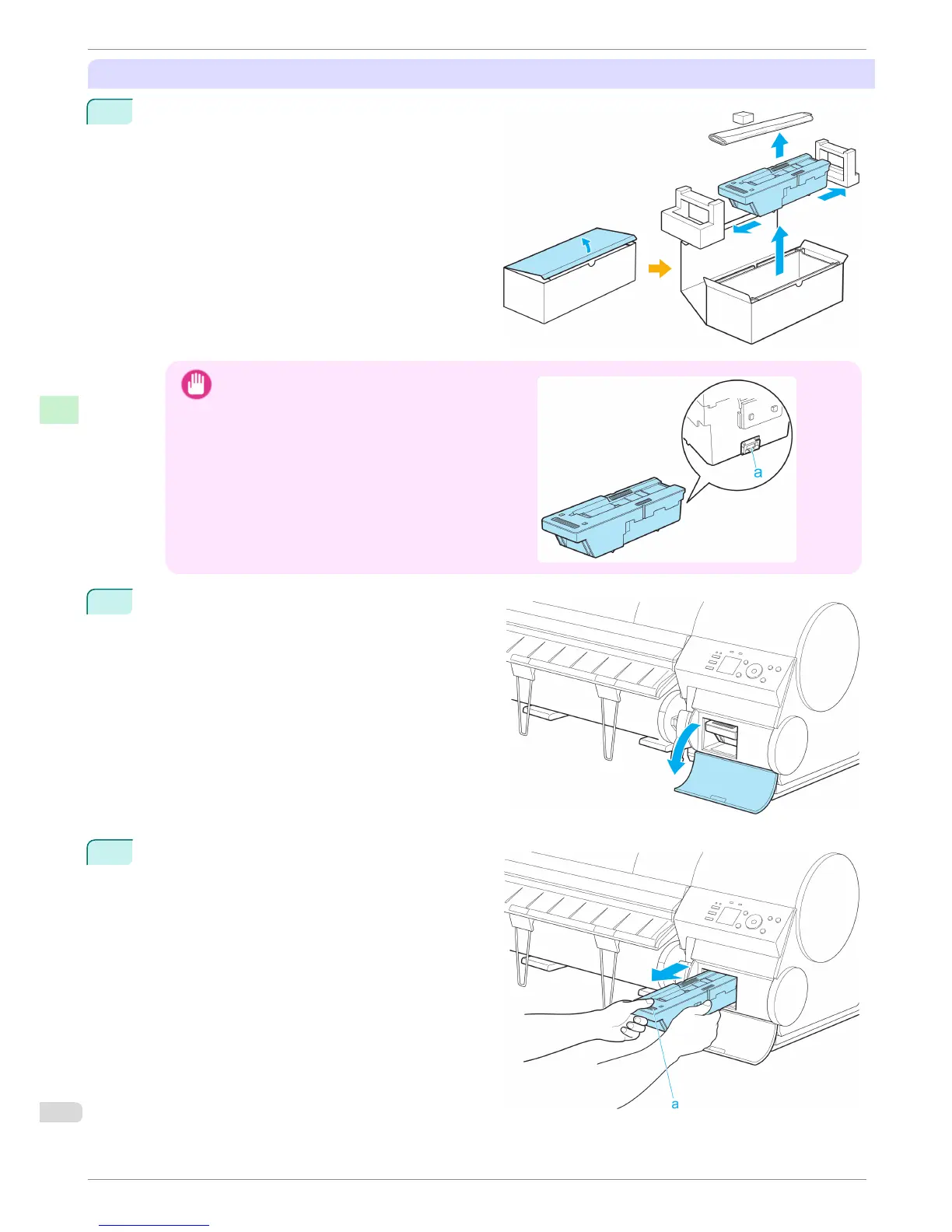
Open the box, remove the plastic bag, packaging
material, and Shaft Cleaner, and then take out the
Maintenance Cartridge.
Important
•
Never touch the metal contacts (a). This may dam-
age the Maintenance Cartridge.
2
At this point, open the Maintenance Cartridge Cov-
er.
3
Hold the used Maintenance Cartridge by the grip
(a) with one hand and put your other hand under
the Maintenance Cartridge to hold it firmly on the
bottom, keeping it level as you pull it out.
Replacing the Maintenance Cartridge
iPF8400
Basic Guide
Consumables and Maintenance Maintenance Cartridge
48














 To Next Page