4-11
Sending Faxes (MF3240 Only)
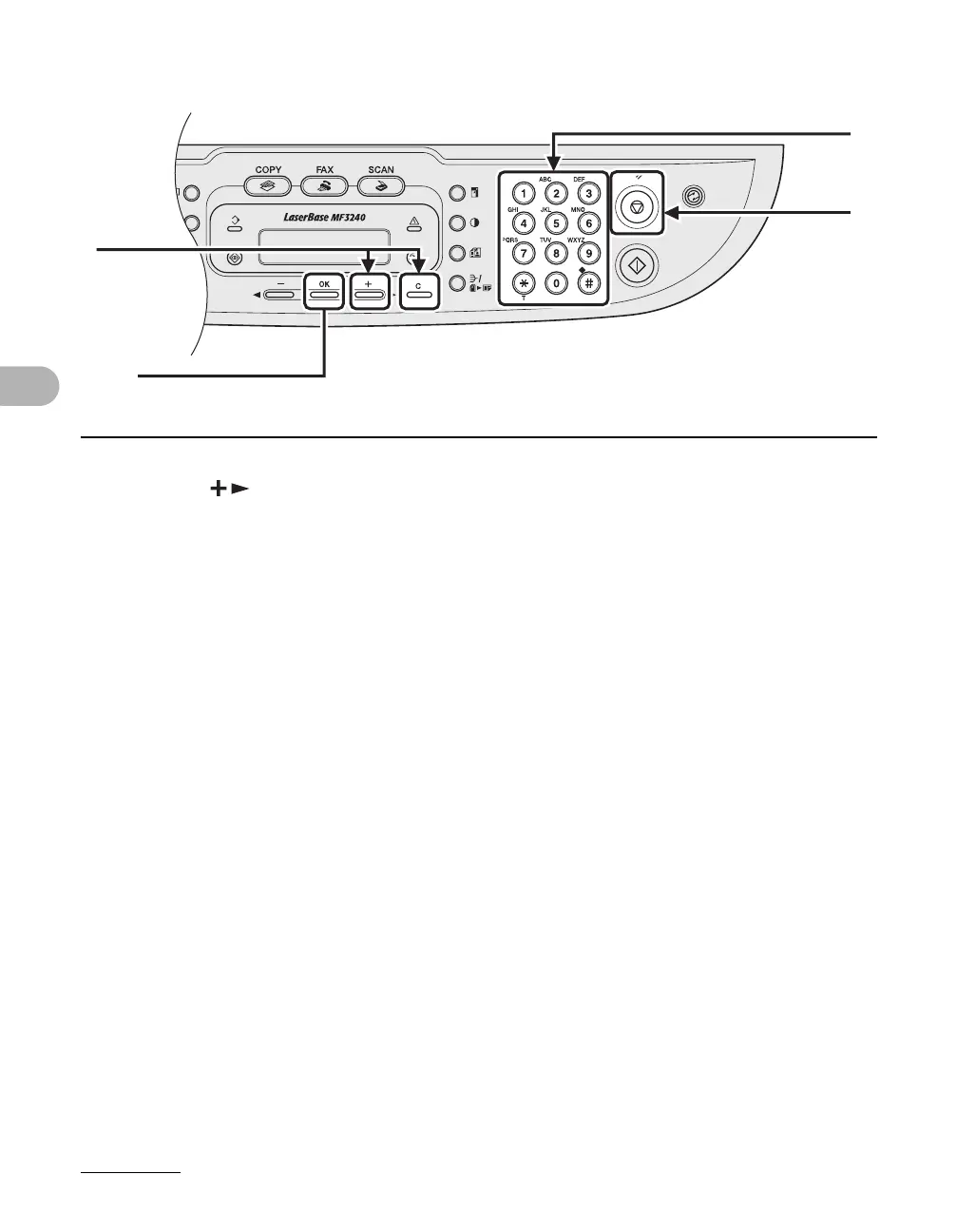
7 Press [ ] repeatedly to go to the wrong number, then press [Clear] to
delete it.
To delete all numbers, press and hold [Clear].
8 Enter a new number with the numeric keys, then press [OK].
9 Press [Stop/Reset] to return to standby mode.
7
[OK]
8
9






 To Next Page