iii
Preface
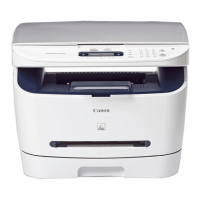
Thank you for purchasing the Canon LaserBase MF5770. Please read this manual thoroughly before operating
the machine in order to familiarize yourself with its capabilities, and to make the most of its many functions. After
reading this manual, store it in a safe place for future reference.
How to Use This Manual
Symbols Used in This Manual
The following symbols are used in this manual to explain procedures, restrictions, handling
precautions, and instructions that should be observed for safety.
IMPORTANT
Indicates operational requirements and restrictions. Be sure to read these items
carefully in order to operate the machine correctly, and to avoid damage to the
machine.
NOTE
Indicates a clarification of an operation, or contains additional explanations for a
procedure. Reading these notes is highly recommended.
Keys Used in This Manual
The following symbols and key names are a few examples of how keys to be pressed are expressed in
this manual:
• Operation Panel Keys ........................................................... [Key Name]
Example ........................................................................... [Start]
[Stop/Reset]
• Display Keys ......................................................................... [Key Name]
Example ........................................................................... [Cancel]
[Done]
See the User’s Guide Refer to the User’s Guide for details on the topic of the previous sentence.
machine The word “machine” refers to Canon LaserBase MF5700 Series machine.
default A setting that remains in effect unless you change it.









 To Next Page