Using the Canon
Advanced Printing
Technology
Chapter 3 Using the Canon Advanced Printing Technology
33
Plug and Play
If you are using Windows 95 OSR2.1 or later, an error may occur while
trying to install using plug and play. If you get an error, install the
software using the CD-ROM. To check which version of Windows 95
you are using, open the
System
window in
Control Panel
and look at the
version number in the
General
tab.
4.00.950
B
or
4.00.950
C
means you
are using OSR2.1 or later.
The following procedure only applies to installation under Windows 95.
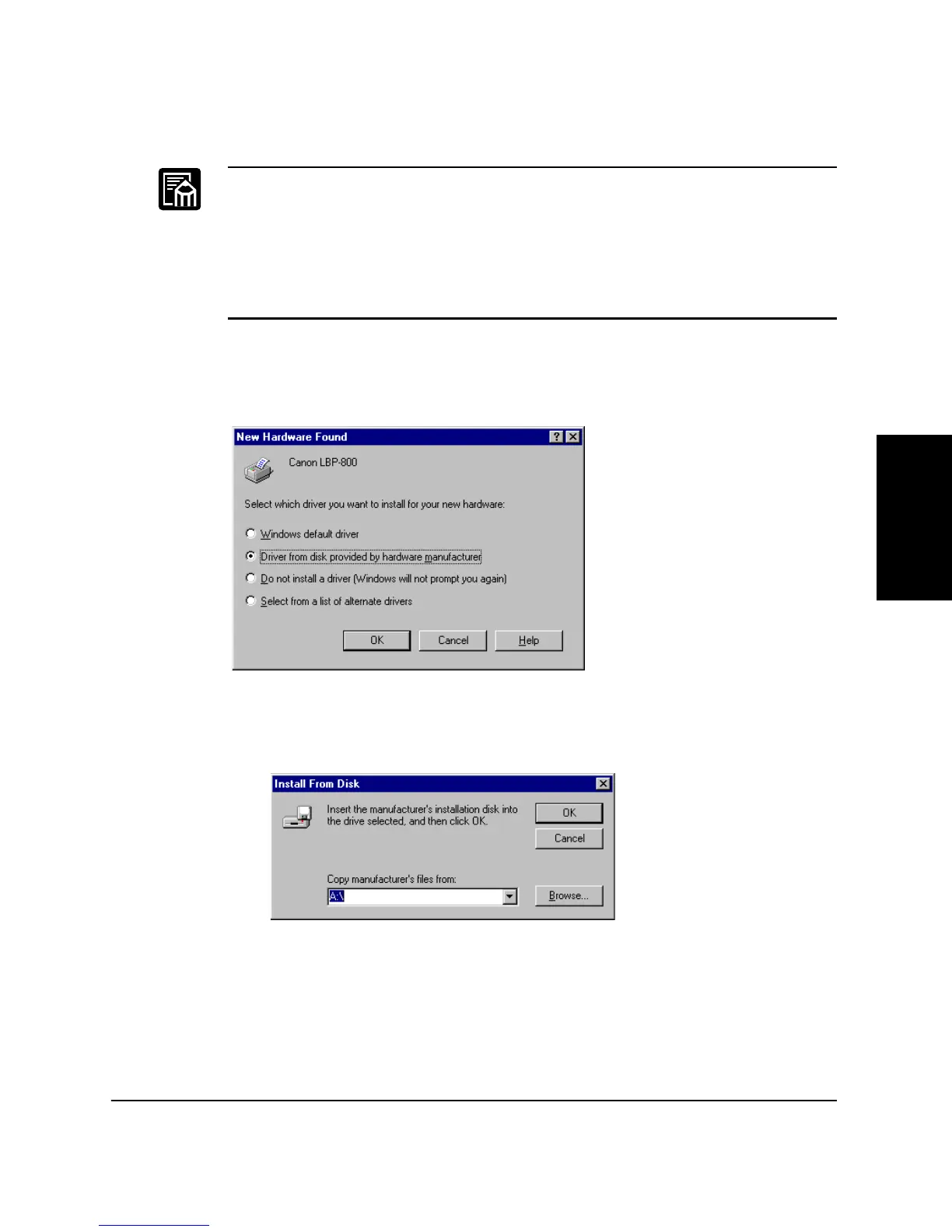
The first time you start Windows with the LBP-800 attached to your
computer the
New Hardware Found
dialog box appears.
1. Select
Driver from disk provided by hardware manufacturer
in
the
New Hardware Found
dialog box. The
Install From Disk
dialog box appears.












 To Next Page