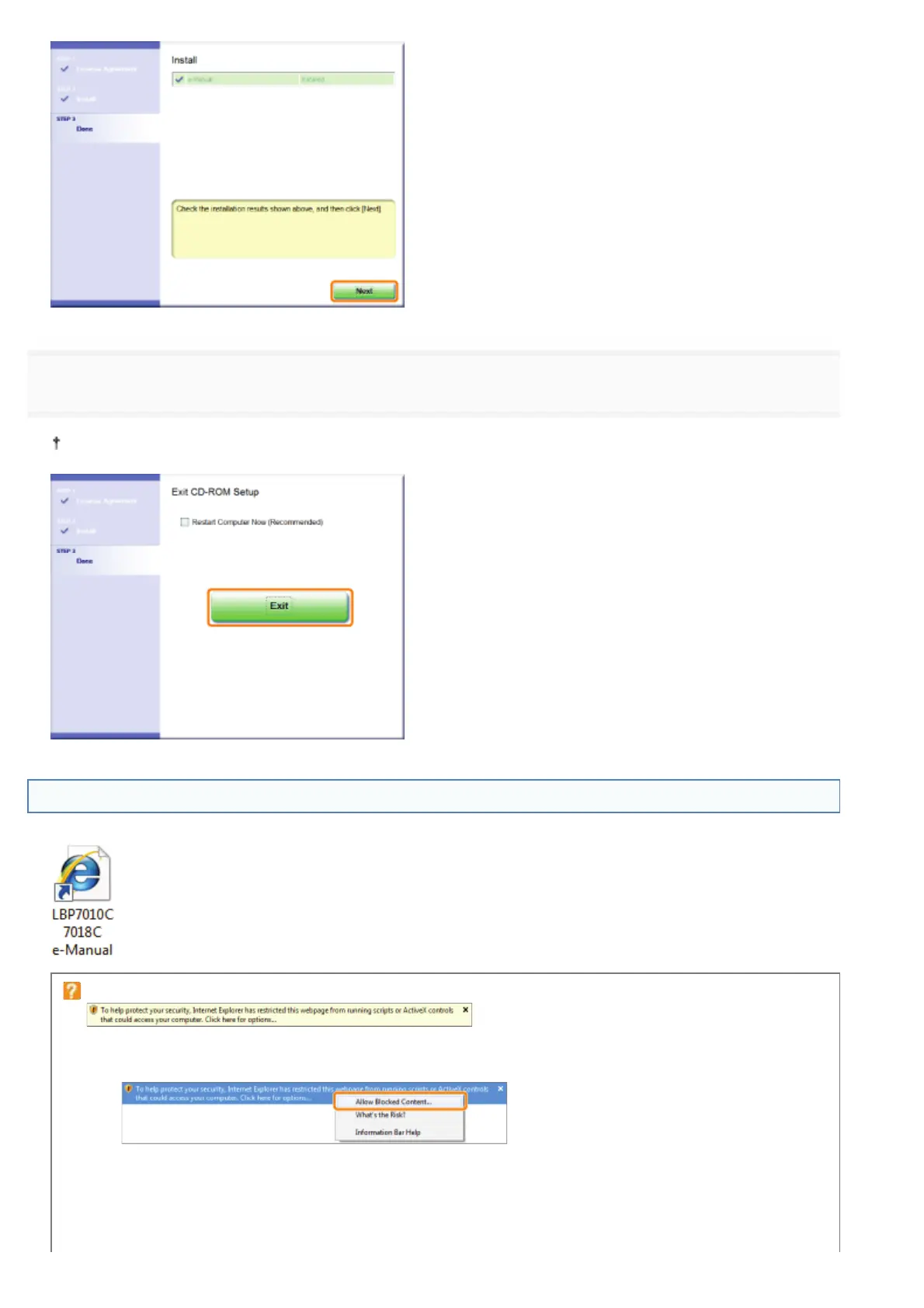
6
Click [Exit].
When the following screen appears, you can remove the CD-ROM.
Displaying the e-Manual
Double-click [LBP7010C 7018C e-Manual] created on the desktop.
When a security protection message appears
Perform the following procedure.
1. Click the information bar, and then select [Allow Blocked Content] from the pop-up menu.
2. Click [Yes].
㻝㻡㻌㻛㻌㻟㻠㻟












 To Next Page