019A-00A
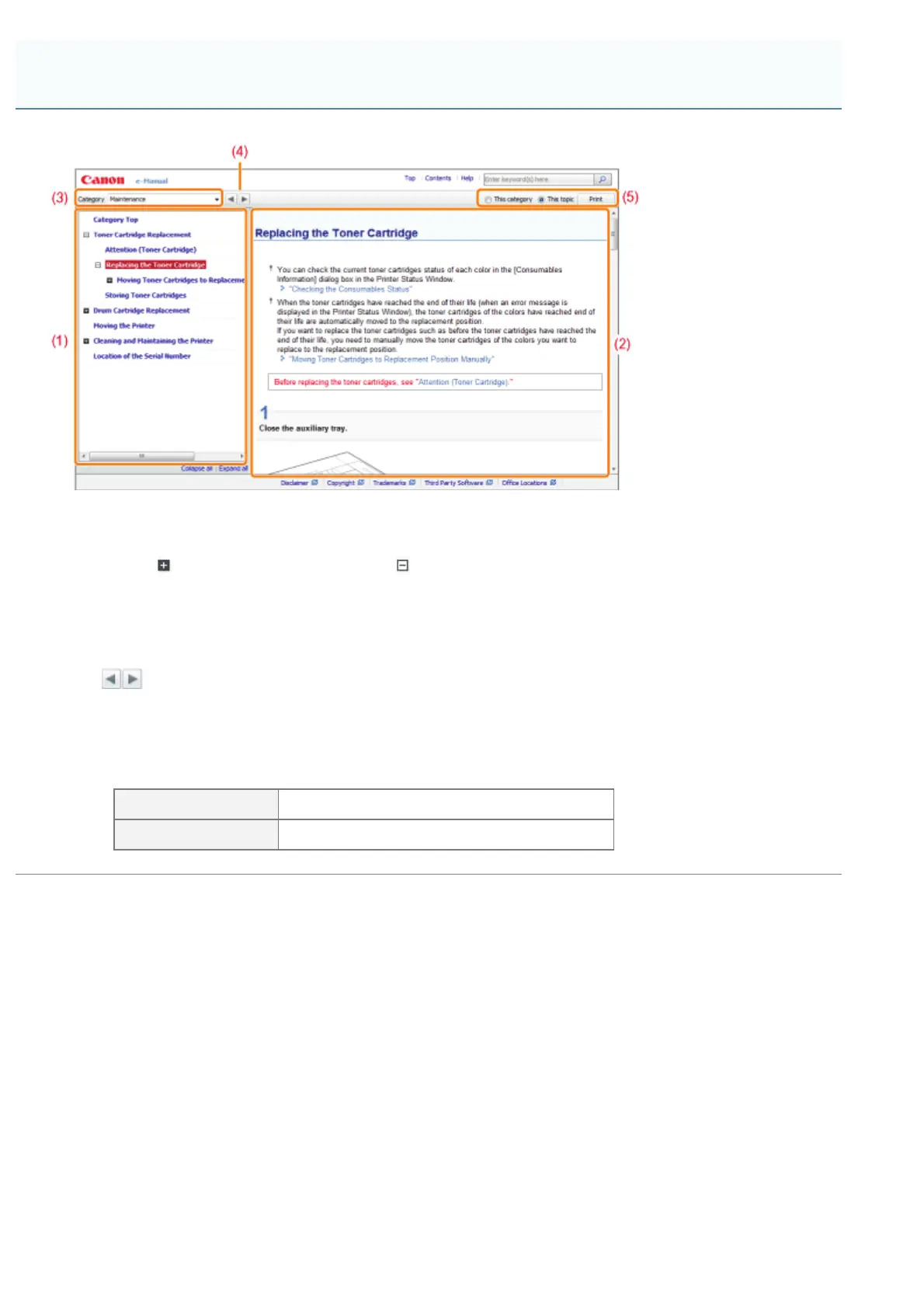
(1) Category contents
This is the list of the contents in the category. Clicking each item displays the description in the topic page.
Clicking [
] opens the menu and clicking [ ] closes the menu.
(2) Topic page
The descriptions of each item are displayed.
(3) [Category] menu
You can select a different category from the pull-down menu.
(4) [
]
Click to move to the previous or next category.
(5) [Print]
Prints the e-Manual.
Select either of the following when printing.
[This category] Prints all the contents in a category.
[This topic] Prints only the topic page currently displayed.
Topic Page
㻞㻞㻌㻛㻌㻟㻠㻟












 To Next Page