4
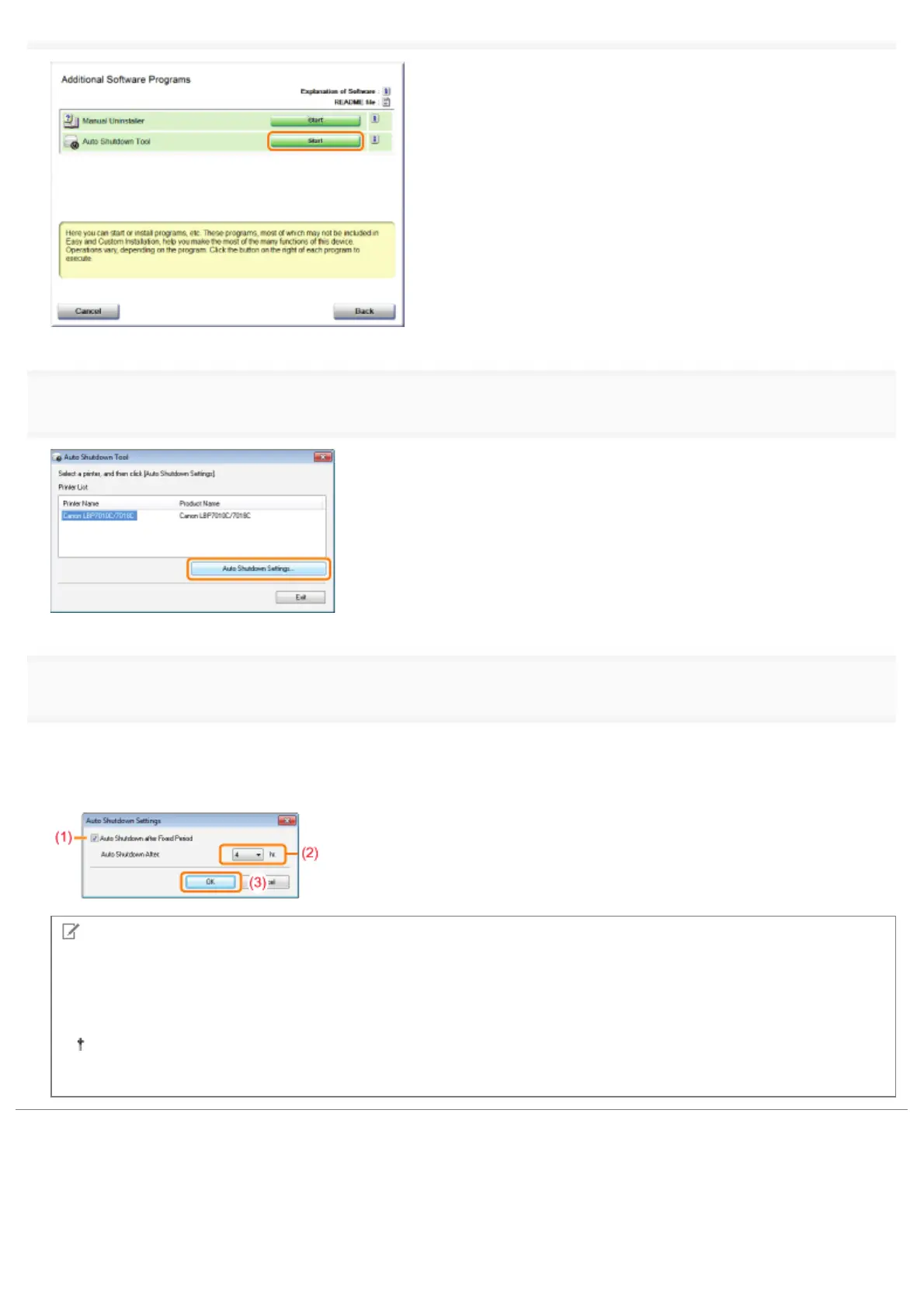
Select a printer, and then click [Auto Shutdown Settings].
5
Specify the settings for auto shutdown.
(1) Select the [Auto Shutdown after Fixed Period] check box.
(2) Specify the time to shut down in [Auto Shutdown After].
(3) Click [OK].
NOTE
About the setting for the time to execute auto shutdown
When [Auto Shutdown After] is changed during sleep mode, the specified time to execute auto shutdown is reset.
You can specify [Auto Shutdown After] for auto shutdown with 1 hour increments between [1hr.] and [8hr.].
If you specify the setting for this option shorter than the default setting, this may shorten the life of the toner
cartridges (the default setting is "4" hours).
㻡㻞㻌㻛㻌㻟㻠㻟












 To Next Page