Cleaning Cassette Pads
If the pad in a cassette becomes dirty or covered with paper dust, multiple sheets of paper may be ejected
at once. Clean cassette pads as follows.
What you will need: cotton swab
1.
Pull out cassette 1 or cassette 2 and remove the paper.
2.
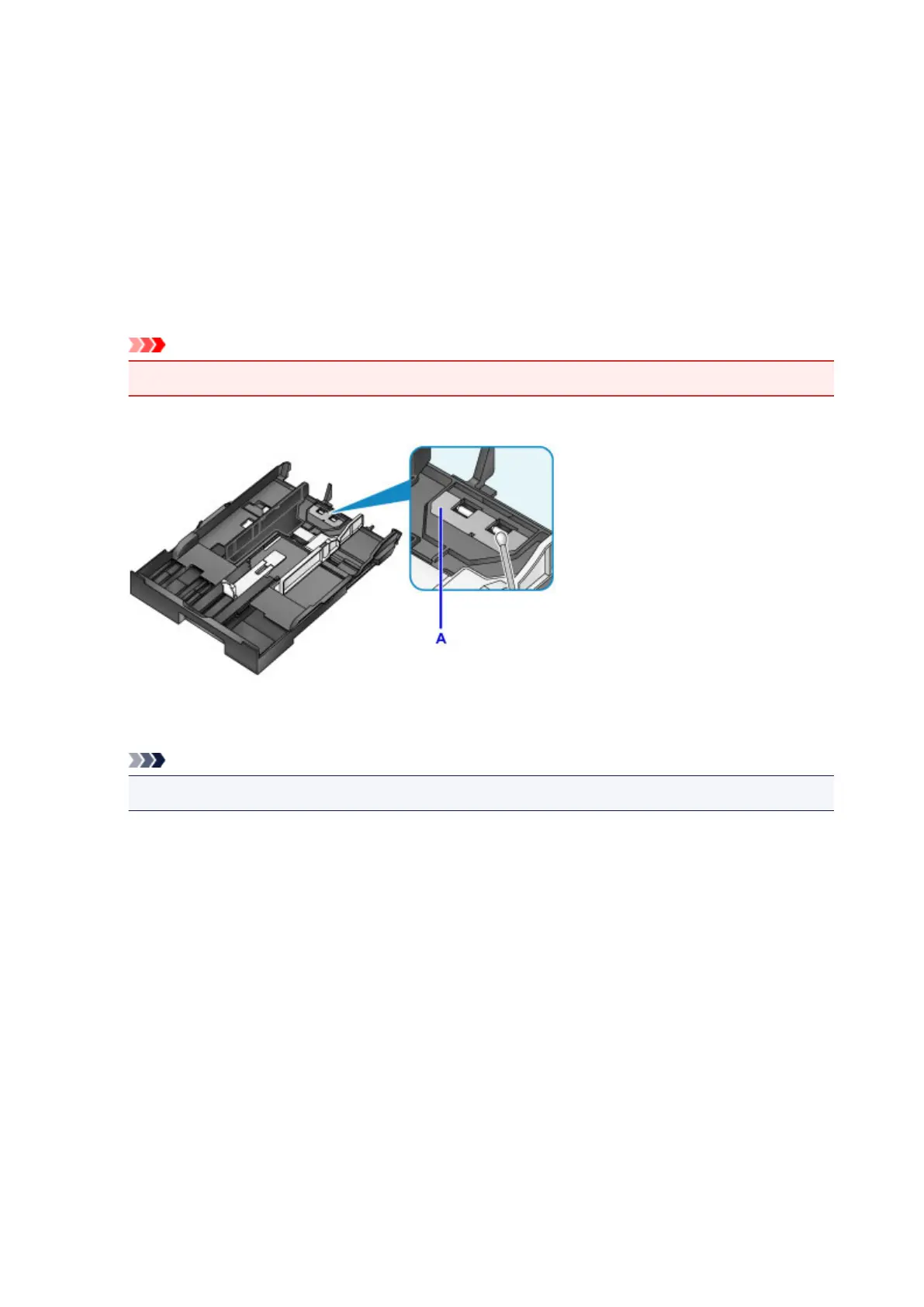
Use a moistened cotton swab to wipe away any dirt or debris on the pad (A).
Important
•
After cleaning, allow the pad to dry completely.
Example of cleaning cassette 1:
3.
Reload the paper and insert the cassette.
Note
•
If a message appears after you insert the cassette, tap Register.
If the problem is not resolved, contact the service center.
239










 To Next Page