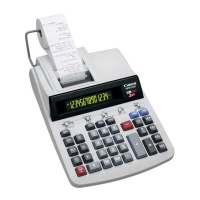
AddTaxK ey – Used for adding the tax amount to the displayed figure.
Deduct TaxK ey– Used for deducting the tax amount from the displayed
figure.
TaxCalculationFunction
Specifications
Overflo w
CE
C
TAX
• Note: ate will remain stored even when the calculator is
turned off. However, the entered rate will be deleted. When the plug is
disconnected, in this case please enter the rate again.
– Used for calculating the cost, selling price and profit margin
amount. Enter the value of any 2 items to obtain the balance
value item. (e.g. enter the value of the cost and the selling price
to obtain the profit margin %.)
Cost-Sell-Mar ginCalculationFunction
Power source: AC120V, 60Hz
Operation Temperature: 0 C to 40 C (32 F to 104 F)
Calculating Capacity: 14 digits maximum
Dimension:
” (L) x 8-15/16” (W) x 3-15/64” (H)
Weight: 1.6 kg (3.53 lb)
(Subjecttochangewithoutnotice)
In the following cases, "E" is displayed, a dotted line is printed, the keyboard is
electronically locked, and further operation is impossible. Press to clear the
overflow. The overflow function occurs when:
1.
point.
2.
3.
(Buffer Register Overflow)
Electromagnetic interference or electrostatic discharge may cause the display
to malfunction or the memory and tax rate to be lost or altered. Should this
occur, disconnect the plug from the electrical socket-outlet and connect after
4


 To Next Page