83
E
Using the Full
Range of Features
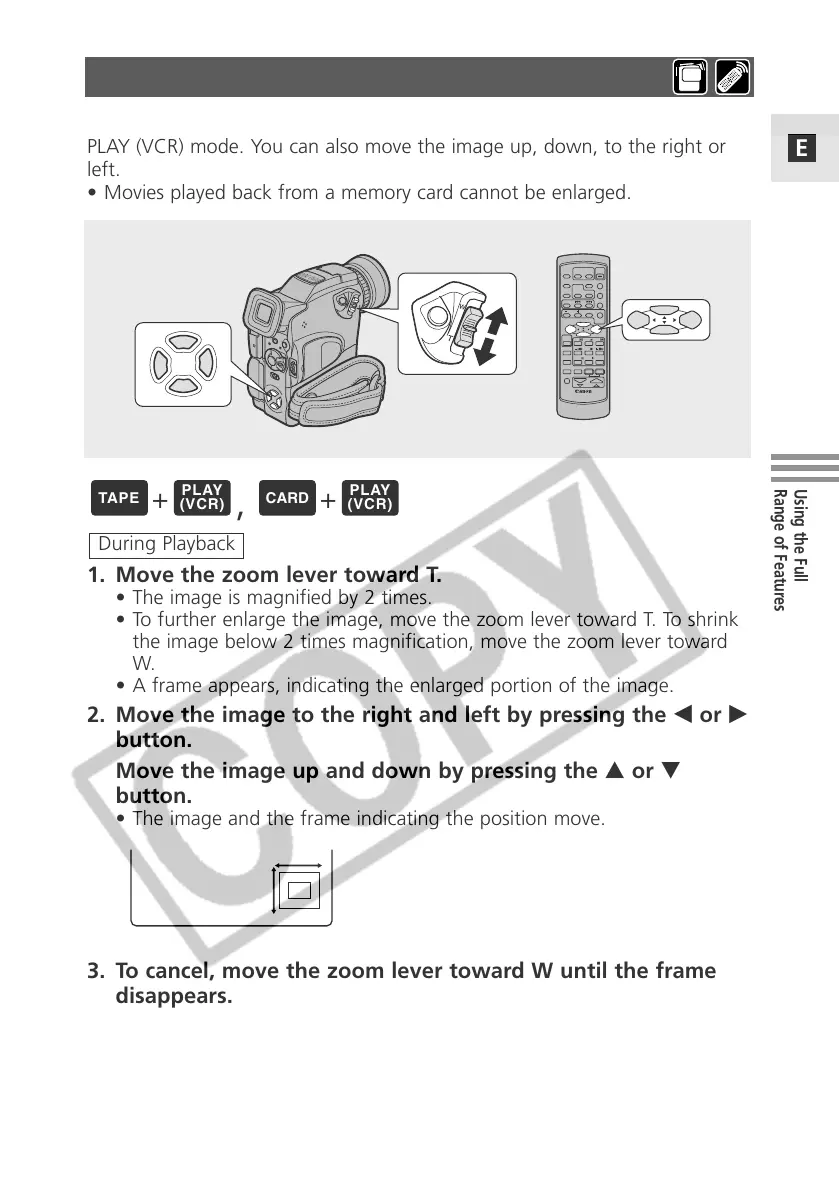
You can enlarge the image up to 5 times during TAPE PLAY (VCR) and CARD
PLAY (VCR) mode. You can also move the image up, down, to the right or
left.
• Movies played back from a memory card cannot be enlarged.
1. Move the zoom lever toward T.
• The image is magnified by 2 times.
• To further enlarge the image, move the zoom lever toward T. To shrink
the image below 2 times magnification, move the zoom lever toward
W.
• A frame appears, indicating the enlarged portion of the image.
2. Move the image to the right and left by pressing the 4 or e
button.
Move the image up and down by pressing the r or t
button.
• The image and the frame indicating the position move.
3. To cancel, move the zoom lever toward W until the frame
disappears.
During Playback
Enlarging the Image during Playback
+
,
+



 To Next Page