86
E
Using the Full
Range of Features
Six-second Auto Date
The 6-second auto date appears for 6 seconds to mark the changeover of a
day if the tape was being recorded at 12:00 midnight. It also appears for 6
seconds when you start playback and have the data code turned off. The 6-
second auto date will adjust for any time zone changes you have indicated.
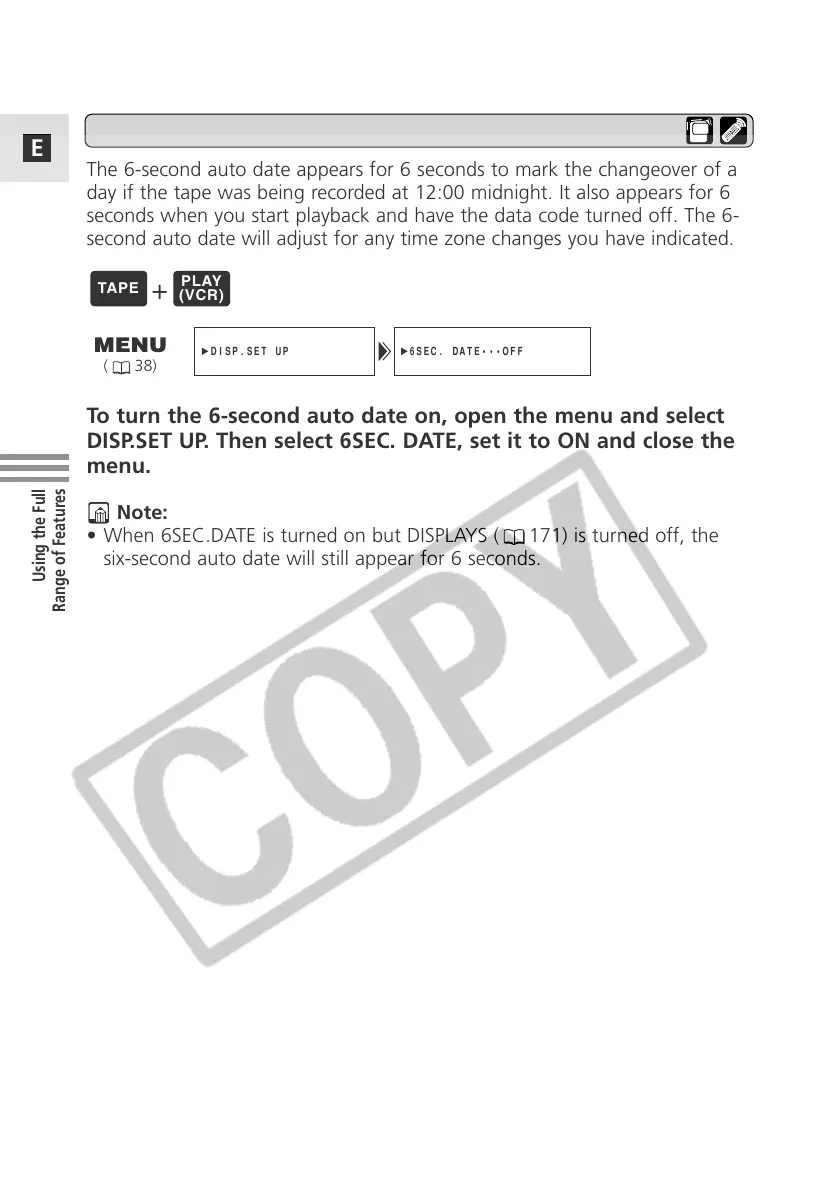
To turn the 6-second auto date on, open the menu and select
DISP.SET UP. Then select 6SEC. DATE, set it to ON and close the
menu.
Note:
• When 6SEC.DATE is turned on but DISPLAYS ( 171) is turned off, the
six-second auto date will still appear for 6 seconds.
6SEC. DATE•••OFF
DISP.SET UP
( 38)
+



 To Next Page