CHAPTER 2 STANDARDS AND ADJUSTMENTS
2-38
2. Adjusting the Intensity of the Scanning Lamp
Adjust the intensity of the scanning lamp if you have replaced any of the following:
• DC controller PCB
• Composite power supply PCB (See p.2-37.)
• Scanning lamp
Caution:
If you have performed this adjustment, you must always perform AE adjustment.
Making Adjustments
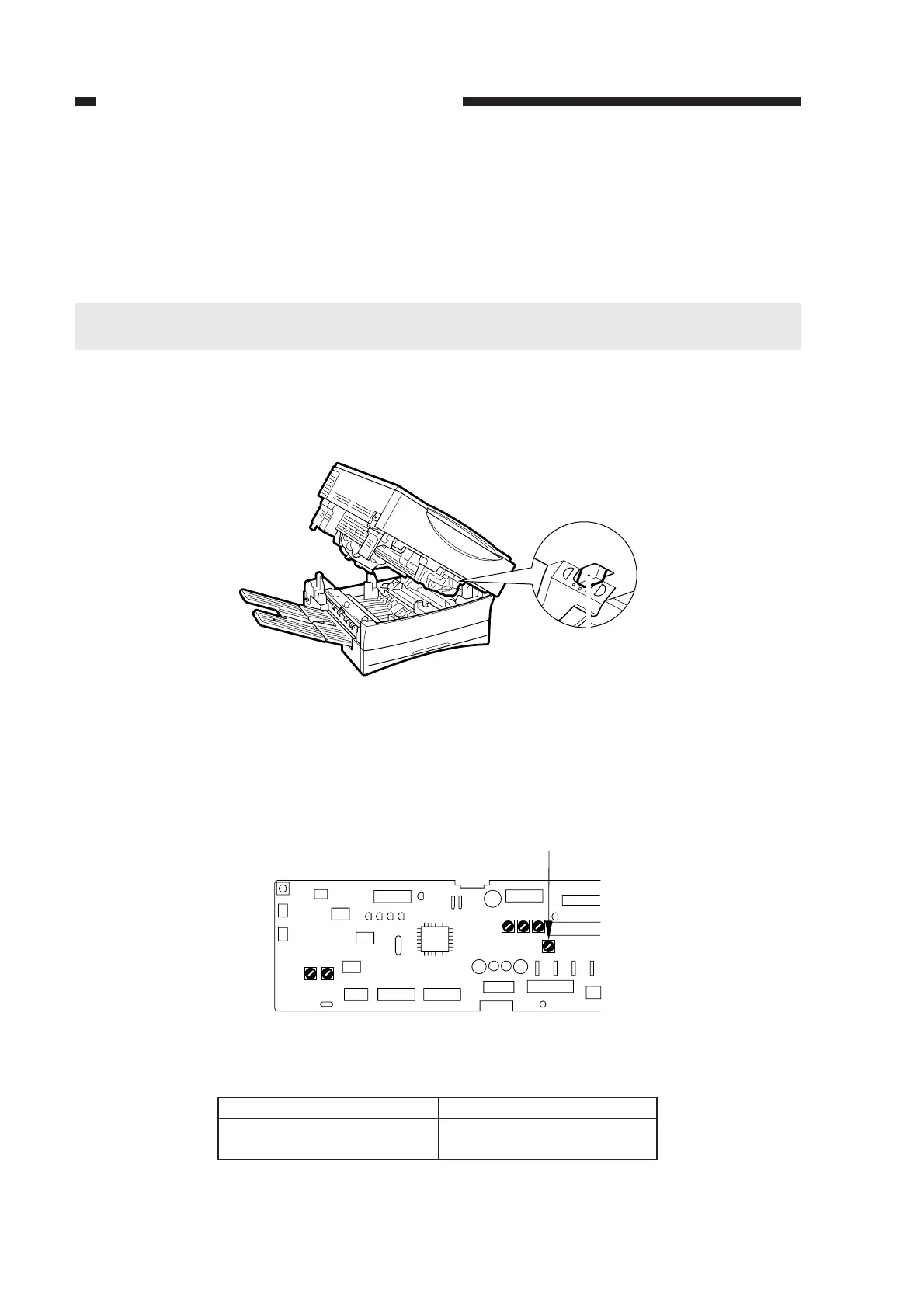
1) Set a cartridge in the machine.
2) Set the density correction switch (SW101) to its middle index.
Figure 2-63
3) Turn off the AE mechanism, and set the copy density adjusting lever on the control panel to its
middle index.
4) Place the Test Sheet on the copyboard, and make a copy.
5) Turn VR107 on the DC controller PCB gradually until gray scale No. 9 is barely visible.
Figure 2-64
Table 2-7
VR107 and Copy Density
Direction of VR107
Clockwise
Counterclockwise
Copy density
Lighter
Darker
SW101
VR107
J102
J101
J107
J101J131
VR103VR102
J103
J130
J114
J104
J105
J109
J106
J102
VR104VR105VR106
VR107



 To Next Page