CHAPTER 2 STANDARDS AND ADJUSTMENTS
2-42
4. Adjusting the Reproduction Ratio (fine adjustment)
Adjust the reproduction ratio if you have replaced the following:
• DC controller PCB
Making Adjustments
Before Starting the Work
• Meter
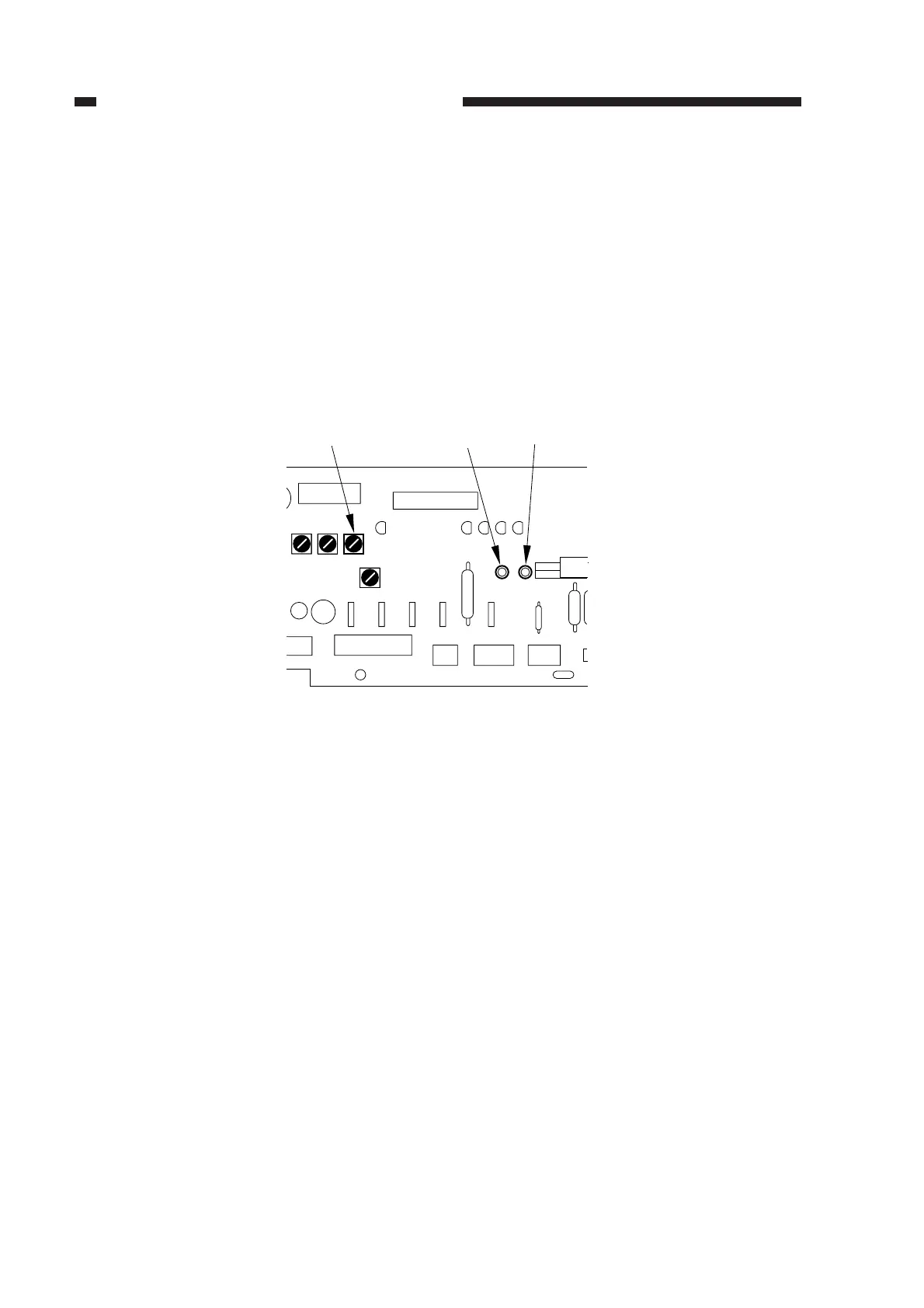
1) Before replacing the DC controller PCB, turn on the power; then, connect the meter probes to
CP23 and GND on the DC controller PCB, and measure the voltage.
+ probe ........CP23
- probe .........GND
Figure 2-70
2) After replacing the DC controller PCB, measure the voltage as in step 1); then, turn VR106 on
the DC controller PCB so that the reading is the same as before replacement.
VR106
CP23
GND
VR106
VR107
VR104
VR105
CPGND1
CP23



 To Next Page