

 Need help?
Do you have a question about the Canon PIXMA G2110 Series and is the answer not in the manual?
 General
| Print Technology | Inkjet |
|---|---|
| Scanner Type | Flatbed |
| Scanner Resolution | 600 x 1200 dpi |
| Ink Tank System | Yes |
| Ink Colors | 4 (Black, Cyan, Magenta, Yellow) |
| Copy Speed (Black) | Approx. 2.5 ipm |
| Ink Type | Pigment Black, Dye-based Color |
| Print Resolution | 4800 x 1200 dpi |
| Print Speed (Black) | Approx. 8.8 ipm |
| Print Speed (Color) | Approx. 5.0 ipm |
| Connectivity | Hi-Speed USB |
| Compatible Operating Systems | Windows, macOS |
| Functions | Print, Scan, Copy |
| Photo Print Speed | Approx. 60 seconds |
| Borderless Printing | Yes |
| Two Sided Printing | Manual |
| Scanning Depth (Input / Output) | 24-bit / 24-bit |
| Copy Speed | Approx. 3.5 ipm (Color) |
| Interface Type | Hi-Speed USB |
| Supported Paper Sizes | Letter, Legal, Envelopes |
| Paper Weight | 64-105 g/m2 |
| Paper Sizes | Letter, Legal, Envelopes |
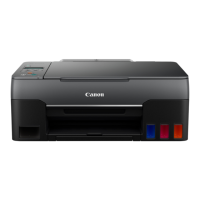
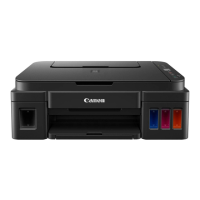
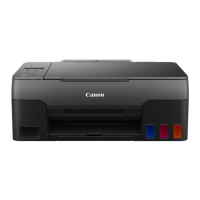
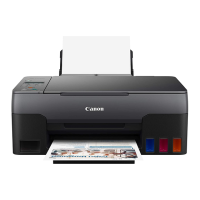
| Ink Bottles | Black, Cyan, Magenta, Yellow |
Verify all components included in the printer package.
Remove protective tapes and materials from the printer before use.
Procedure for inserting ink cartridges into the printer.
Guide to powering on the printer for the first time.
Instructions for filling the printer's ink tanks.
Steps to initialize and prepare the ink system after filling.
Guidance for common error messages and their solutions.
Download and install software from Canon's website.
Install software using the provided CD-ROM for Windows.
Instructions for properly loading paper into the printer.
Step-by-step guide to making copies with the printer.
How to find and access the complete online user manual.



 To Next Page