17 ImageBrowser Software User Guide
Chapter 3
What You Can Do with a
Camera Connected
Camera Control Window (2/2)
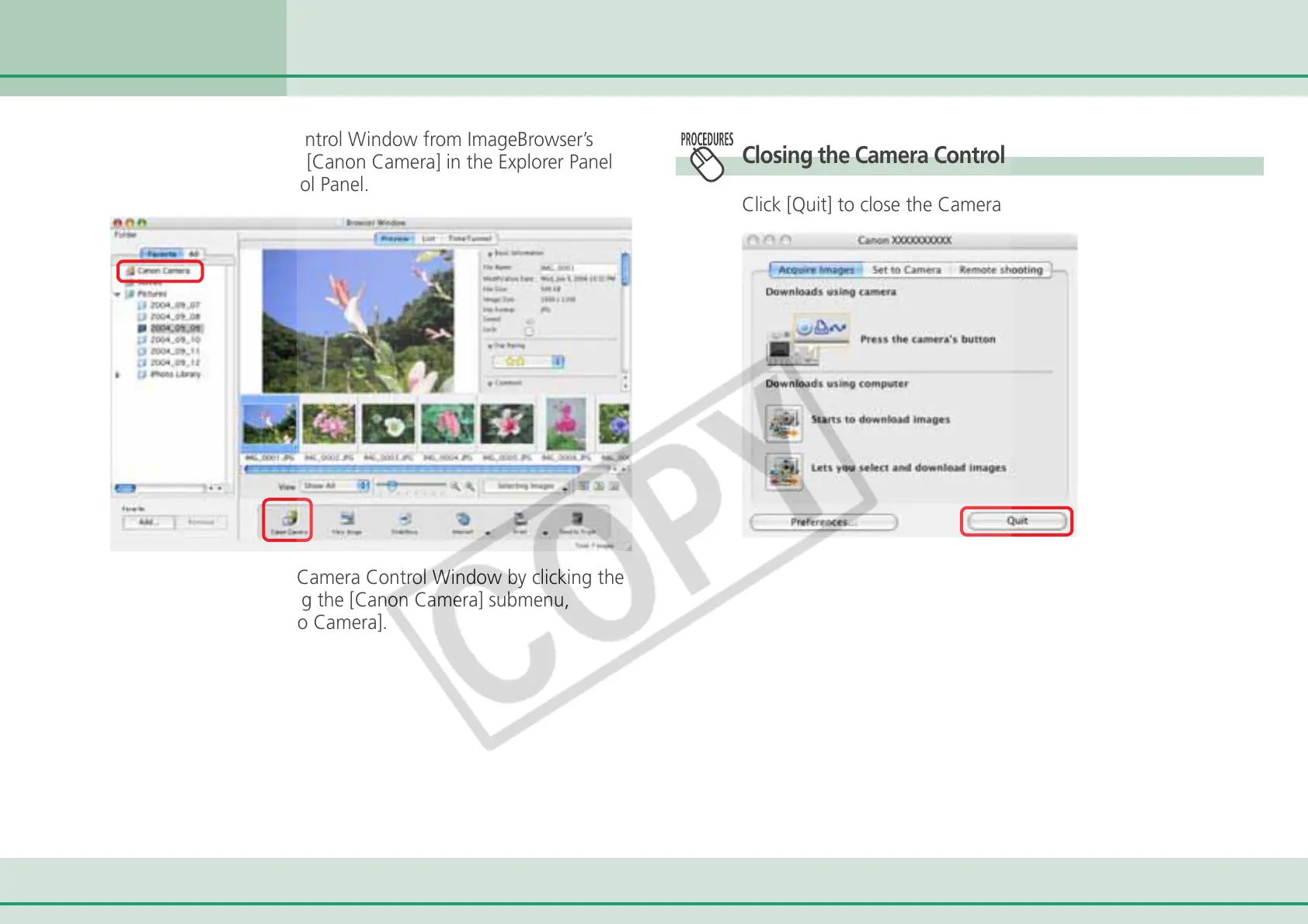
To open the Camera Control Window from ImageBrowser’s
Browser Window , click [Canon Camera] in the Explorer Panel
section or on the Control Panel.
You can also open the Camera Control Window by clicking the
[File] menu and selecting the [Canon Camera] submenu,
followed by [Connect to Camera].
Closing the Camera Control Window
Click [Quit] to close the Camera Control Window.



 To Next Page