64 ImageBrowser Software User Guide
Chapter 5
Organizing Images
Searching Images (1/2)
You can search images using such criteria as Star Ratings, shooting
dates, keywords or comments.
○○○○○○○○○○○○○○○○○○○○○○○○○○○○○○○○○○○○○○○○○○
REFERENCE
• For information about Star Rating settings, see the Setting Star
Ratings and for information about keyword settings, see the
Assigning Keywords in this chapter.
1.
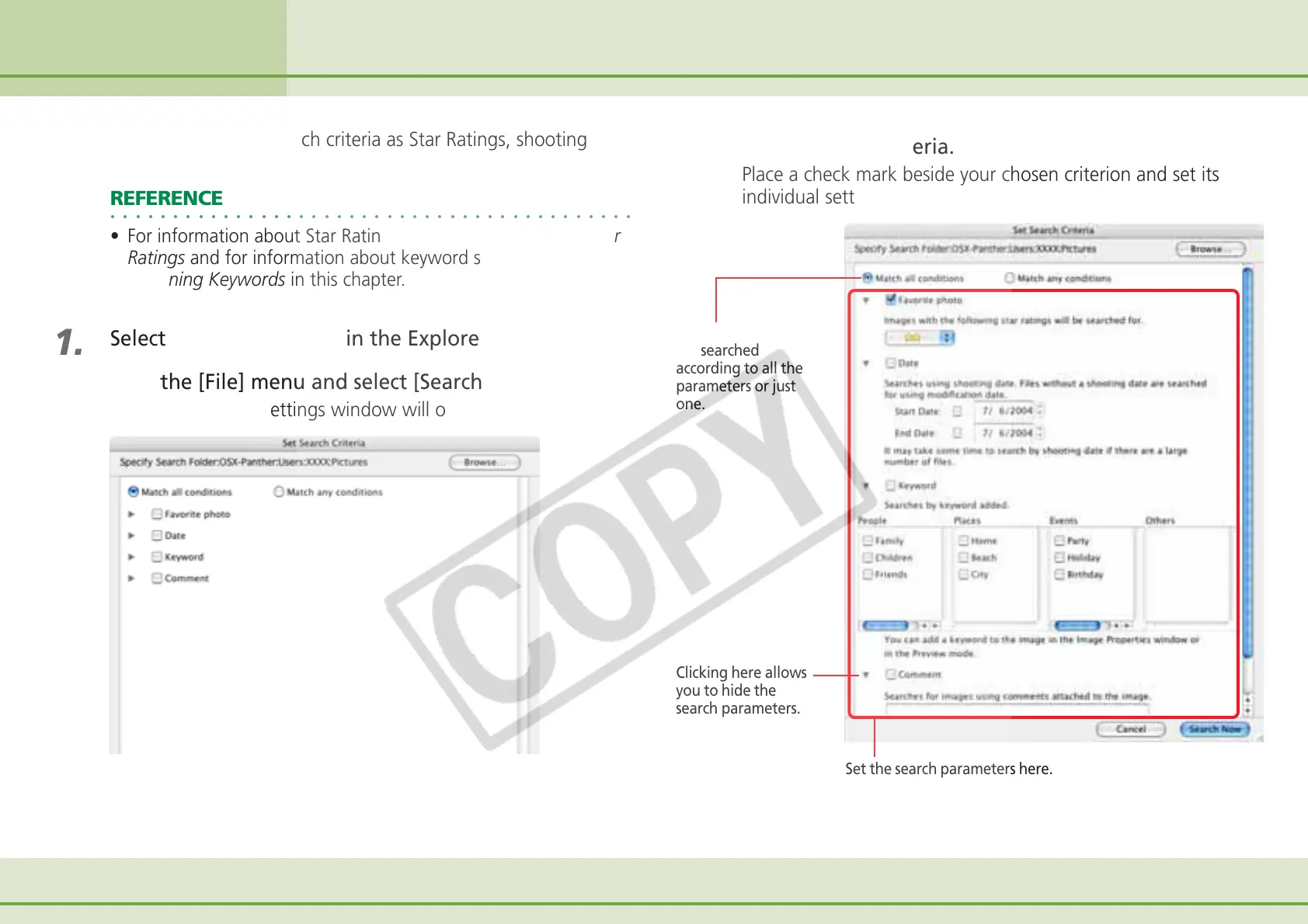
Select a folder to search in the Explorer Panel section.
2.
Click the [File] menu and select [Search].
The search criteria settings window will open.
3.
Set the search criteria.
Place a check mark beside your chosen criterion and set its
individual settings.
Sets whether images
are searched
according to all the
parameters or just
one.
Clicking here allows
you to hide the
search parameters.
Set the search parameters here.












 To Next Page