56 ImageBrowser Software User Guide
Chapter 5
Organizing Images
Setting Star Ratings (1/2)
This section explains the procedures for setting Star Ratings used in
image searches and to display subsets of images.
What is a Star Rating?
You can assign one of three ratings [✩✩✩], [✩✩], [✩] to an
image. When a camera image is downloaded to the computer
it is assigned a two-star [✩✩] rating.
Setting the Star Rating
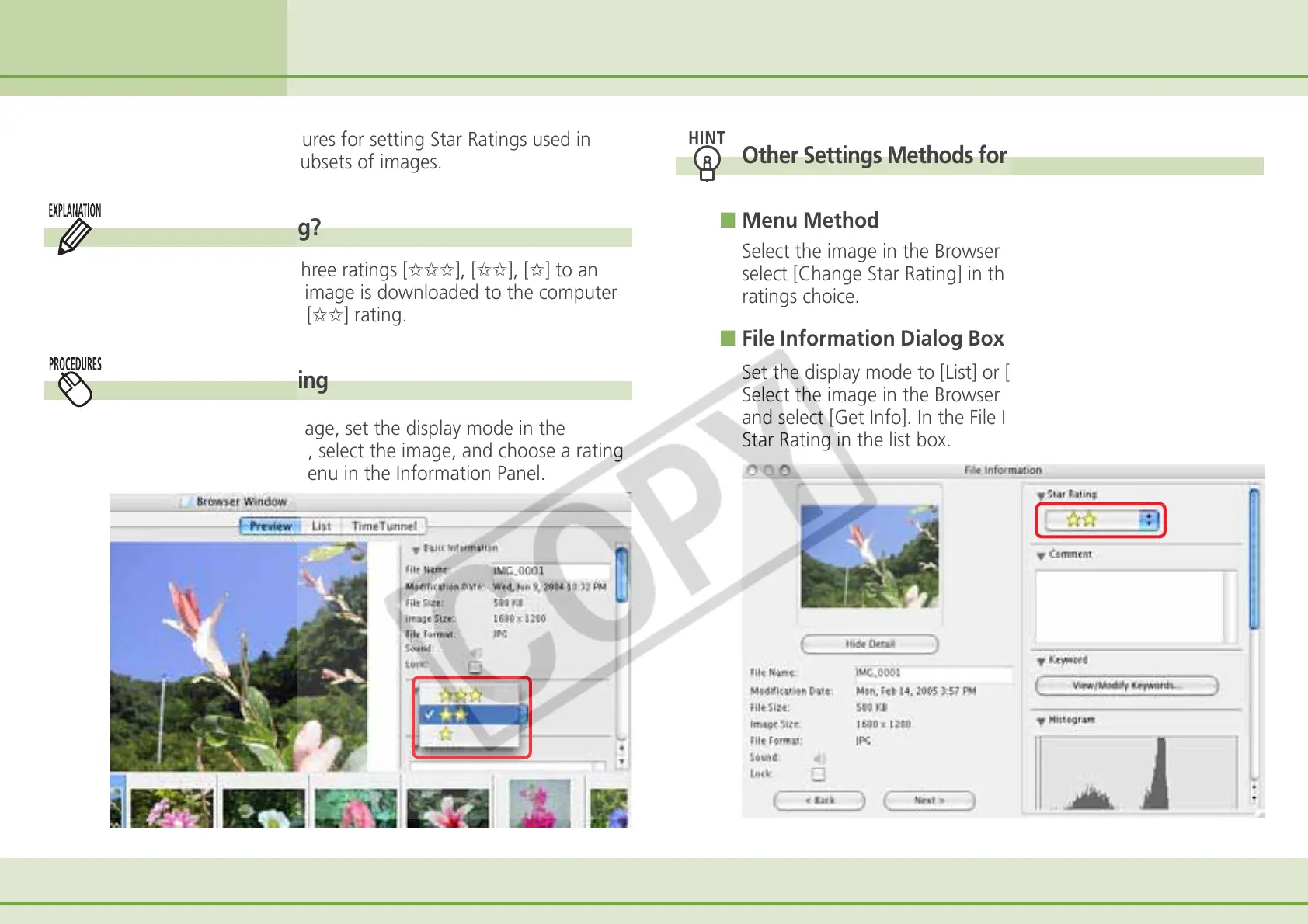
To set a rating for an image, set the display mode in the
Browser Area to Preview, select the image, and choose a rating
from the [Star Rating] menu in the Information Panel.
Other Settings Methods for Star Ratings
■ Menu Method
Select the image in the Browser Area, click the [Edit] menu and
select [Change Star Rating] in the submenu, followed by your
ratings choice.
■ File Information Dialog Box Method
Set the display mode to [List] or [TimeTunnel].
Select the image in the Browser Area and click the [File] menu
and select [Get Info]. In the File Information dialog box, set the
Star Rating in the list box.












 To Next Page