72 ImageBrowser Software User Guide
Chapter 6
Using Supplementary Features
This chapter explains the methods for handling images managed by
ImageBrowser.
This section explains the procedures for editing images displayed in the
Viewer Window.
Editing Images (1/4)
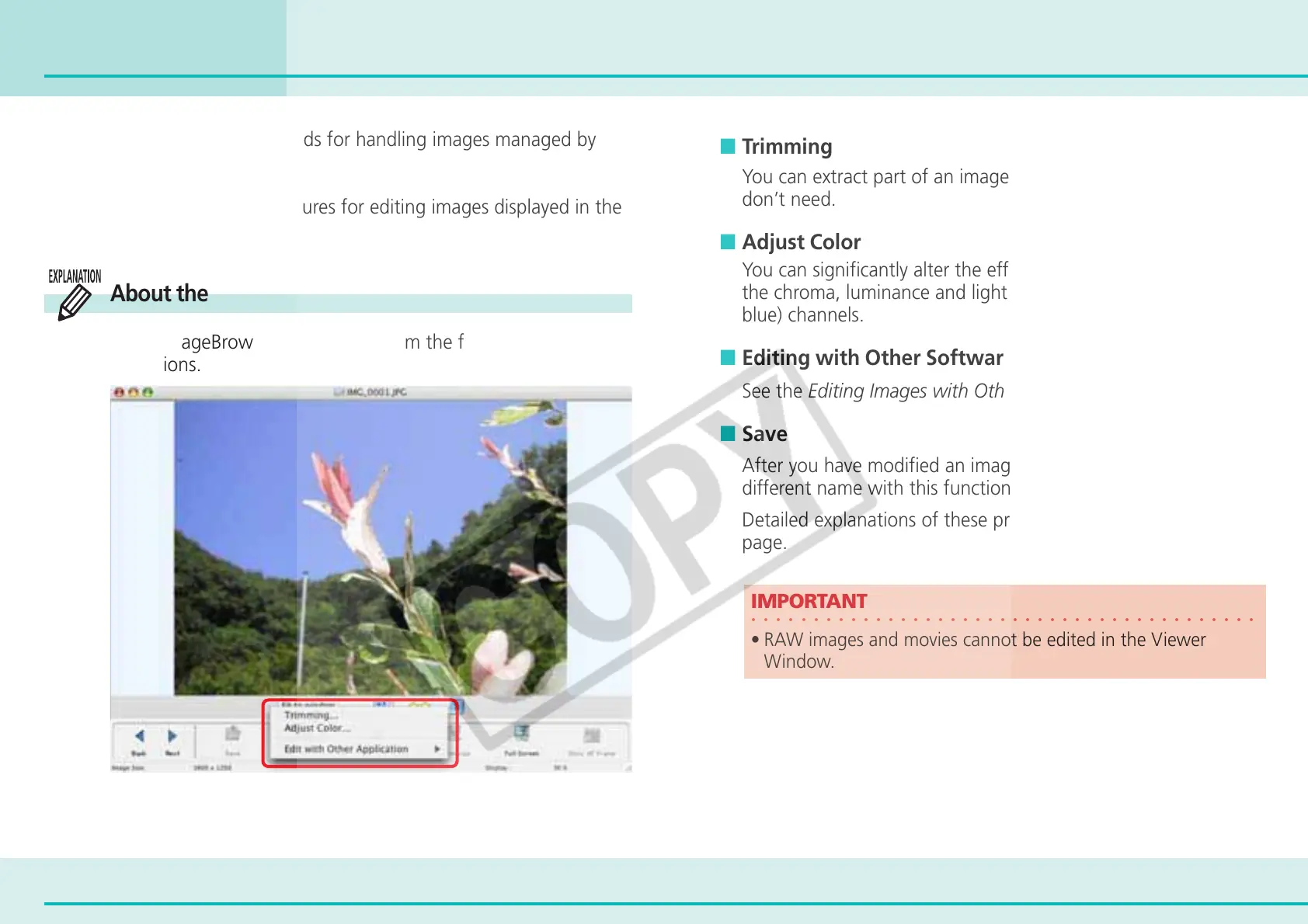
■ Trimming
You can extract part of an image, leaving out parts that you
don’t need.
■ Adjust Color
You can significantly alter the effect of an image by adjusting
the chroma, luminance and lightness of the RGB (red, green,
blue) channels.
■ Editing with Other Software
See the Editing Images with Other Software.
■ Save
After you have modified an image, you can save it under a
different name with this function.
Detailed explanations of these procedures start on the next
page.
○○○○○○○○○○○○○○○○○○○○○○○○○○○○○○○○○○○○○○○○○
IMPORTANT
• RAW images and movies cannot be edited in the Viewer
Window.
About the Editing Features
Using ImageBrowser, you can perform the following editing
operations.












 To Next Page