44 ImageBrowser Software User Guide
Chapter 4
Viewing Images
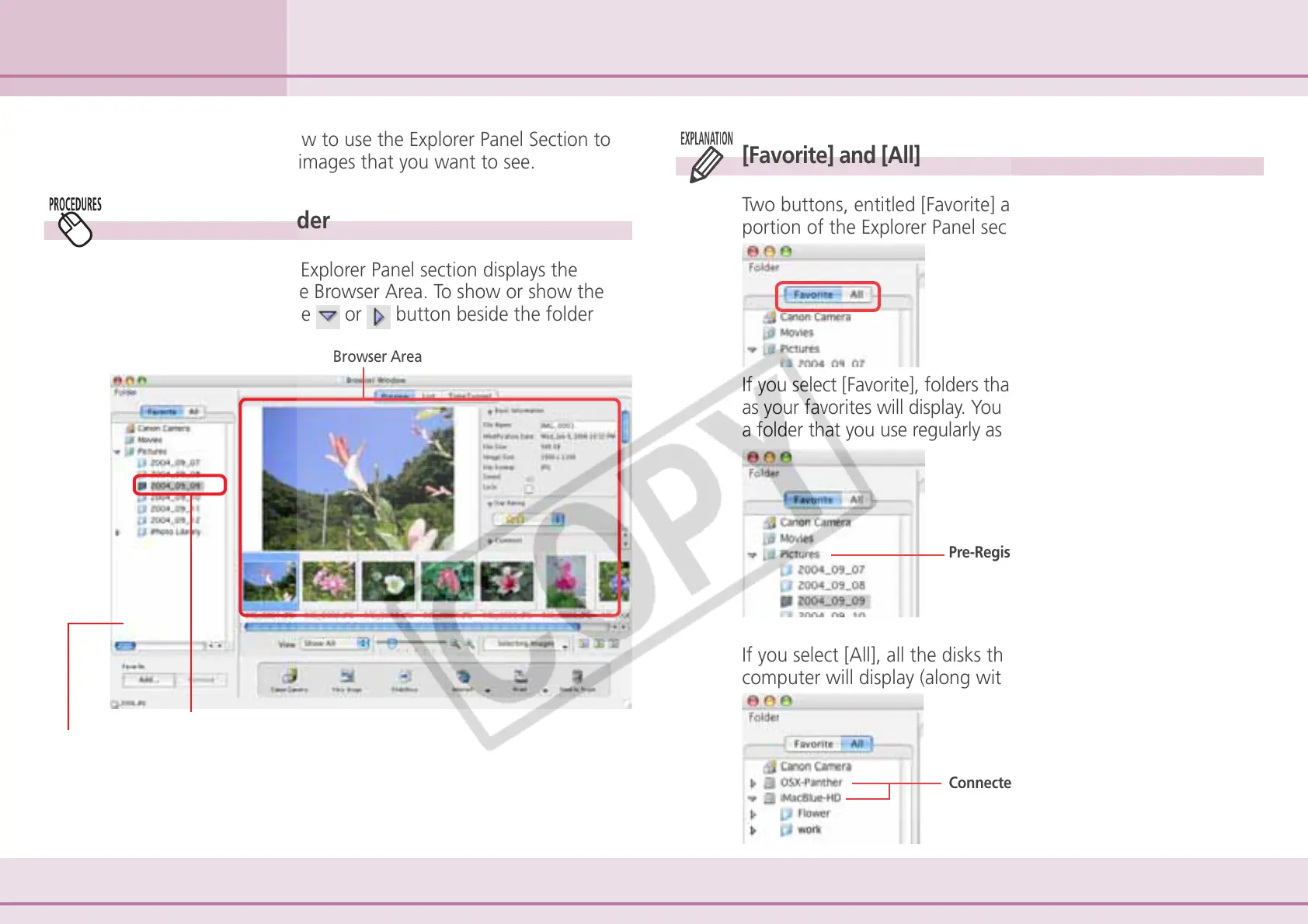
[Favorite] and [All]
Two buttons, entitled [Favorite] and [All], display in the upper
portion of the Explorer Panel section.
If you select [Favorite], folders that have been already registered
as your favorites will display. You will find it convenient to register
a folder that you use regularly as a favorite.
If you select [All], all the disks that are connected to your
computer will display (along with their folders).
In this section, you will learn how to use the Explorer Panel Section to
choose a folder containing the images that you want to see.
Selecting Folders (1/2)
Selected folder
Explorer Panel
Browser Area
Pre-Registered Folders
Connected Drives
How to select a folder
Clicking a folder in the Explorer Panel section displays the
images it contains in the Browser Area. To show or show the
folder contents, click the
or button beside the folder












 To Next Page