65 ImageBrowser Software User Guide
Chapter 5
Organizing Images
4.
Click [Search Now] when you finish setting the
criteria.
A list of images found by the search will display.
5.
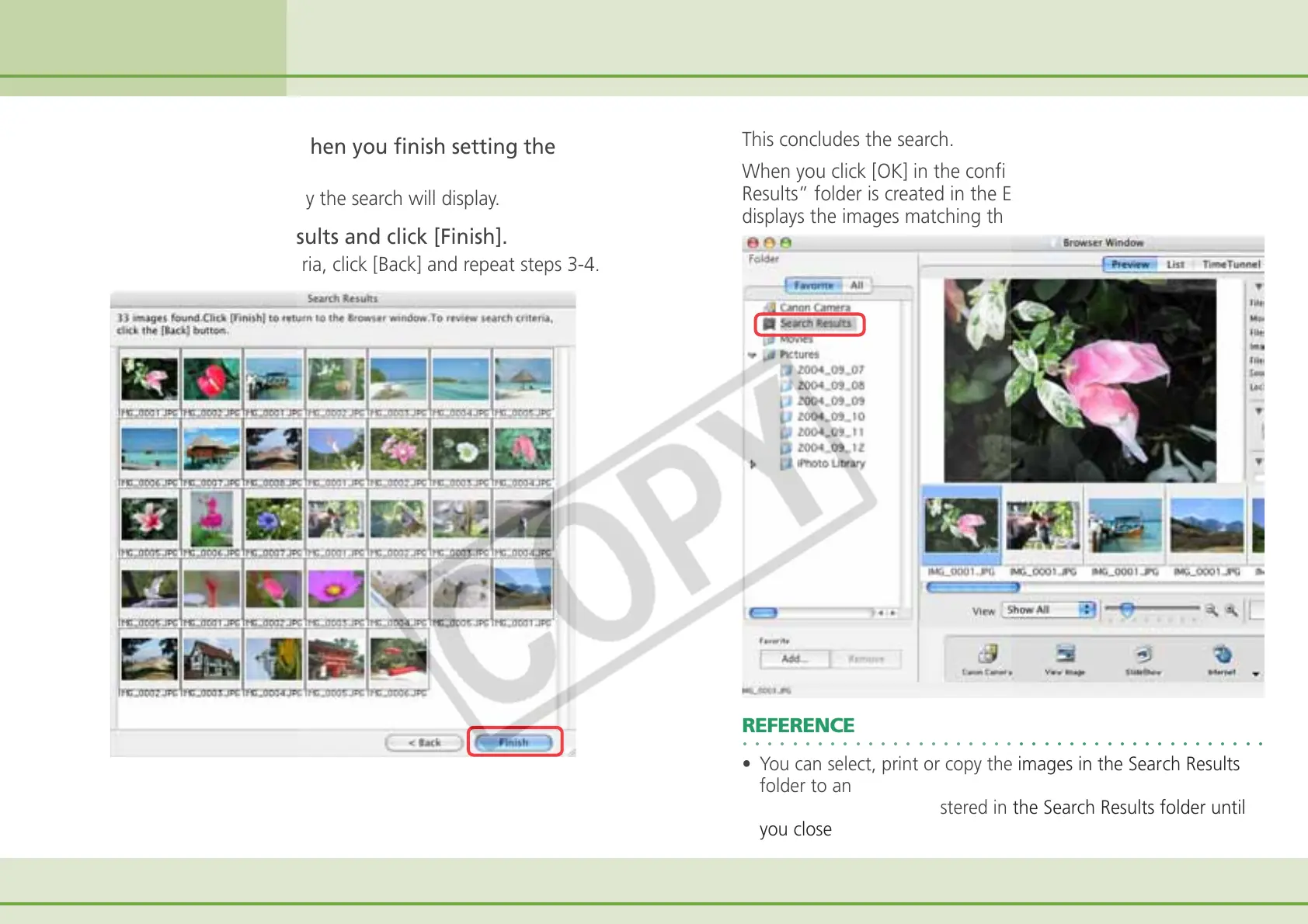
Check the search results and click [Finish].
To reset the search criteria, click [Back] and repeat steps 3-4.
This concludes the search.
When you click [OK] in the confirmation dialog, the “Search
Results” folder is created in the Explorer Panel section and
displays the images matching the search criteria.
Searching Images (2/2)
○○○○○○○○○○○○○○○○○○○○○○○○○○○○○○○○○○○○○○○○○○
REFERENCE
• You can select, print or copy the images in the Search Results
folder to another.
• Images will remain registered in the Search Results folder until
you close ImageBrowser or perform another search.












 To Next Page