28 ImageBrowser Software User Guide
Chapter 3
What You Can Do with a
Camera Connected
Saving the “My Camera Settings” to the Camera (3/8)
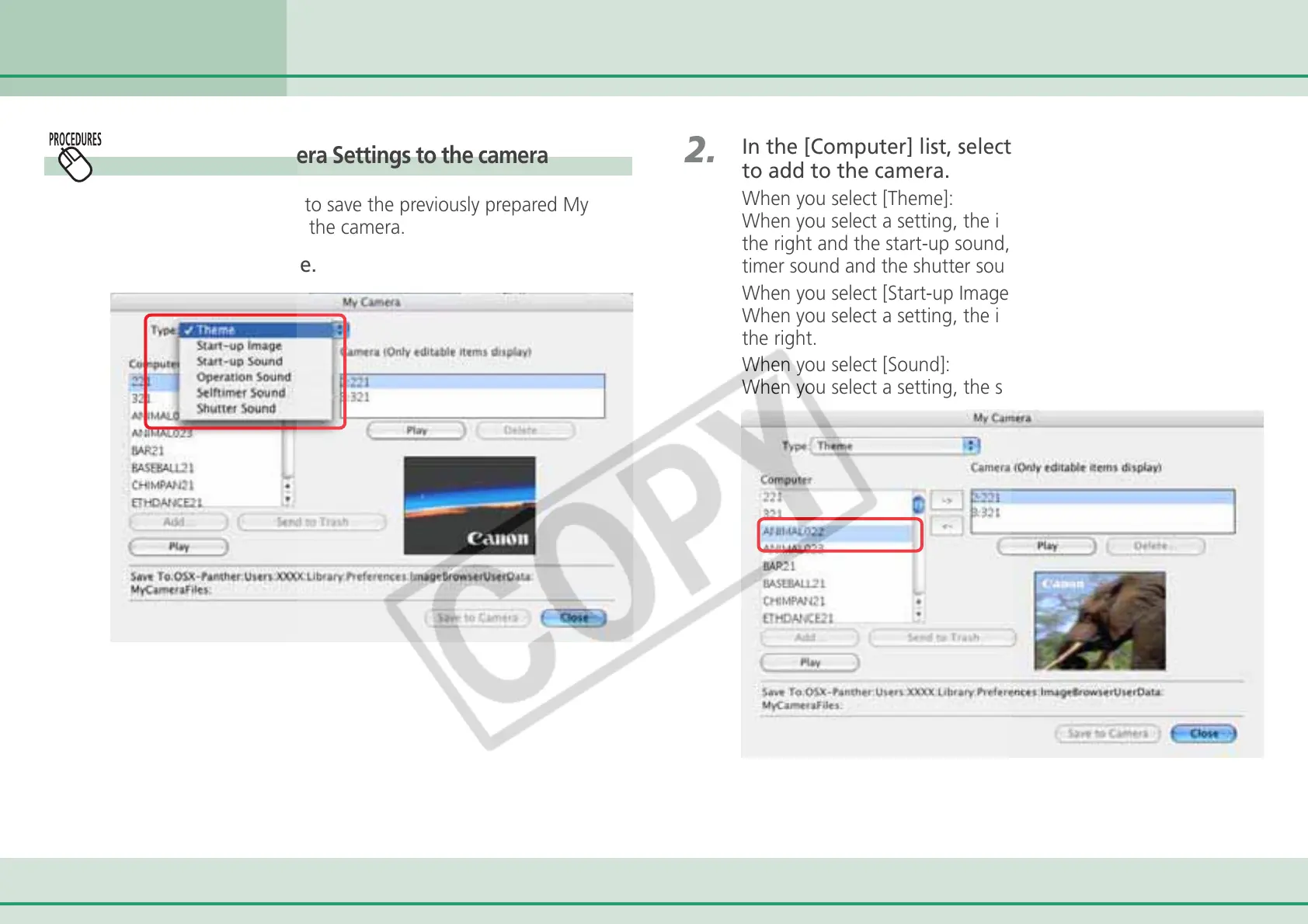
Saving the My Camera Settings to the camera
This topic explains how to save the previously prepared My
Camera Settings files to the camera.
1.
Select a settings type.
2.
In the [Computer] list, select a setting you would like
to add to the camera.
When you select [Theme]:
When you select a setting, the image will preview in the area to
the right and the start-up sound, the operation sound, the self-
timer sound and the shutter sound will play in order.
When you select [Start-up Image]:
When you select a setting, the image will preview in the area to
the right.
When you select [Sound]:
When you select a setting, the sound will play automatically.



 To Next Page