EasyManua.ls Logo

Canon PRIMA SUPER 155 CAPTION - Page 17

Canon PRIMA SUPER 155 CAPTION
43 pages
Print Icon
To Next Page IconTo Next Page
To Previous Page IconTo Previous Page
Loading...
Taking
Pictures
in
Autoflash
Mode
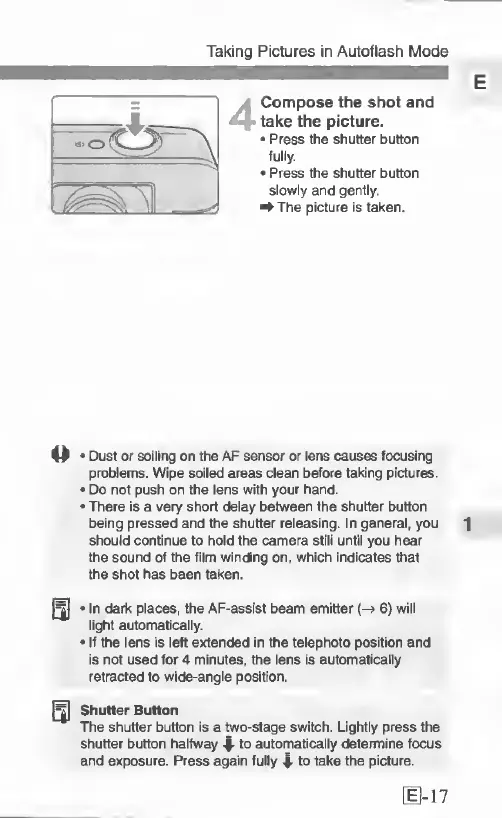
4
Compose
the
shot
and
take
the
picture.
Press
the
shutter
button
fully.
Press
the
shutter
button
slowly
and
gently.
^The
picture
is
taken.
o
Dust
or
soiling
on
the
AF
sensor
or
lens
causes
focusing
problems.
Wipe
soiled
areas
clean
before
taking
pictures.
Do
not
push
on
the
lens
with
your
hand.
There
is
a
very
short
delay
between
the
shutter
button
being
pressed
and
the
shutter
releasing.
In
general,
you
1
should
continue
to
hold
the
camera
still
until
you
hear
the
sound
of
the
film
winding
on,
which
indicates
ttiat
the
shot
has
been
taken.
Q|
In
dark
places,
the
AF-assist
beam
emitter
(-»
6)
will
light
automatically.
If
the
lens
is
left
extended
in
the
telephoto
position
and
is
not
used
for
4
minutes,
the
lens
is
automatically
retracted
to
wide-angle
position.
Shutter
Button
The
shutter
button
is
a
two-stage
switch.
Lightly
press
the
shutter
button
halfway
-I-
to
automatically
determine
focus
and
exposure.
Press
again
fully
4-
to
take
the
picture.

Related product manuals