EasyManua.ls Logo

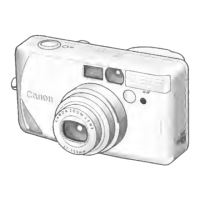
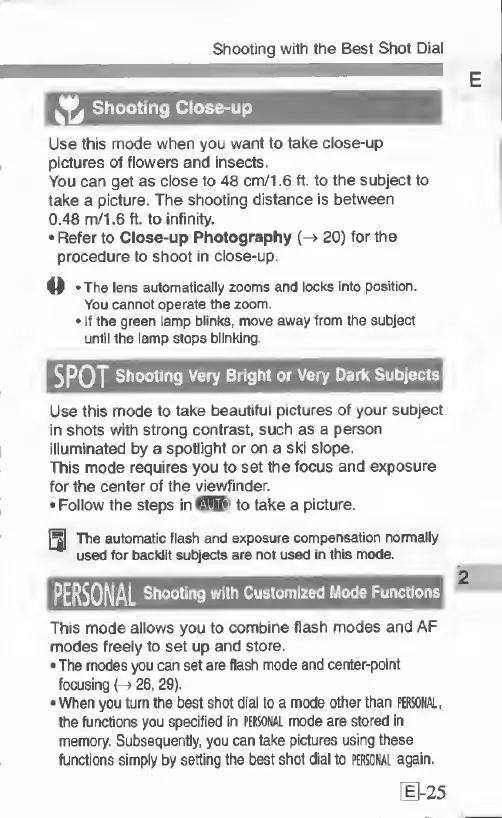
Canon PRIMA SUPER 155 CAPTION - Shooting Close; SPOT Shooting very Bright or very Dark Subjects.25; PERSONAL Shooting with Customized Mode

Canon PRIMA SUPER 155 CAPTION
43 pages
Print Icon
To Next Page IconTo Next Page
To Previous Page IconTo Previous Page
Loading...
Shooting
wrth
the
Best
Shot
Dial
Shooting
Close-up
Use
this
mode
when
you
want
to
take
close-up
pictures
of
flowers
and
insects.
You
can
get
as
close
to
48
cm/1.6
ft.
to
the
subject
to
take
a
picture.
The
shooting
distance
is
between
0.48
m/1.6
ft.
to
infinity.
Refer
to
Close-up
Photography
(->
20)
for
the
procedure
to
shoot
in
close-up.
o
The
lens
automatically
zooms
and
locks
into
position.
You
cannot
operate
the
zoom.
If
the
green
lamp
blinks,
move
away
from
the
subject
until
the
lamp
stops
blinking.
SPOT
Shooting
Very
Bright
or
Very
Dark
Subjects
Use
this
mode
to
take
beautiful
pictures
of
your
subject
in
shots
with
strong
contrast,
such
as
a
person
illuminated
by
a
spotlight
or
on
a
ski
slope.
This
mode
requires
you
to
set
the
focus
and
exposure
for
the
center
of
the
viewf
inder.
Follow
the
steps
in
fSSiUSl
to
take
a
picture.
The
automatic
flash
and
exposure
compensation
normally
used
for
backlit
subjects
are
not
used
in
this
mode.
PERSONAL
Shooting
with
Customized
Mode
Functions
This
mode
allows
you
to
combine
flash
modes
and
AF
modes
freely
to
set
up
and
store.
The
modes
you
can
set
are
flash
mode
and
center-point
focusing
{->
26,
29).
When
you
turn
the
best
shot
dial
to
a
mode
other
than
PERSONAL,
the
functions
you
specified
in
PERSONAL
mode
are
stored
in
memory.
Subsequently,
you
can
take
pictures
using
these
functions
simply
by
setting
the
best
shot
dial
to
PERSONAL
again.
[
1-25

Related product manuals