EasyManua.ls Logo

Canon PRIMA SUPER 155 CAPTION - Page 5

Canon PRIMA SUPER 155 CAPTION
43 pages
Print Icon
To Next Page IconTo Next Page
To Previous Page IconTo Previous Page
Loading...
31
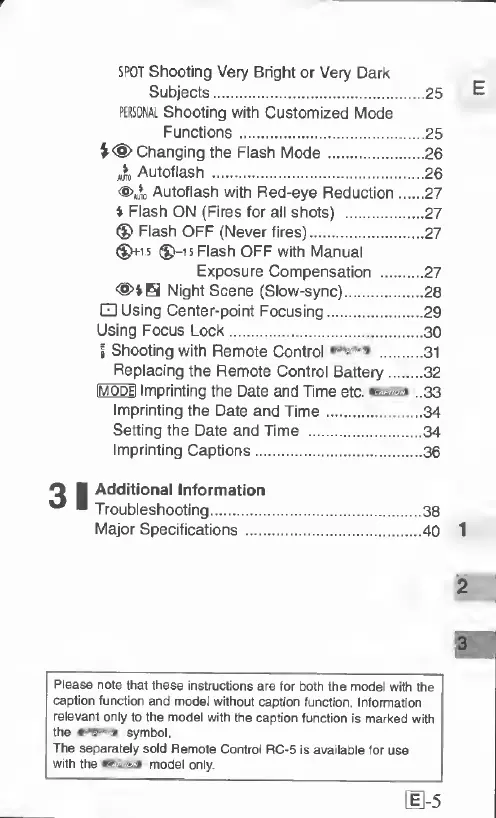
SPOT
Shooting
Very
Bright
or
Very
Dark
Subjects.25
PERSONAL
Shooting
with
Customized
Mode
Functions.25
V<§>
Changing
the
Flash
Mode.26
Autotlash
.26
<@>»^o
Autofiash
with
Red-eye
Reduction.27
»
Flash
ON
(Fires
for
all
shots)
.27
®
Flash
OFF
(Never
fires).27
^15
®)-i5Flash
OFF
with
Manual
Exposure
Compensation
.27
Night
Scene
(Slow-sync).28
Using
Center-point
Focusing.29
Using
Focus
Lock.30
f
Shooting
with
Remote
Control
cozsia.
31
Replacing
the
Remote
Control
Battery.32
IMODEI
Imprinting
the
Date
and
Time
etc.
esiEza
..33
Imprinting
the
Date
and
Time.34
Setting
the
Date
and
Time
.34
Imprinting
Captions.36
Additional
Information
Troubleshooting.38
Major
Specifications.
40
Please
note
that
these
instructions
are
for
both
the
model
witti
the
caption
function
and
model
without
caption
function
Information
relevant
only
to
the
model
with
the
caption
function
is
marked
with
the
symbol
The
separately
sold
Remote
Control
RC-5
is
available
for
use
with
the
wwftm
model
only.
11-5

Related product manuals