EasyManua.ls Logo

Canon QL FT - Page 19

Canon QL FT
44 pages
Print Icon
To Next Page IconTo Next Page
To Previous Page IconTo Previous Page
Loading...
fj Stop
Priority
Method
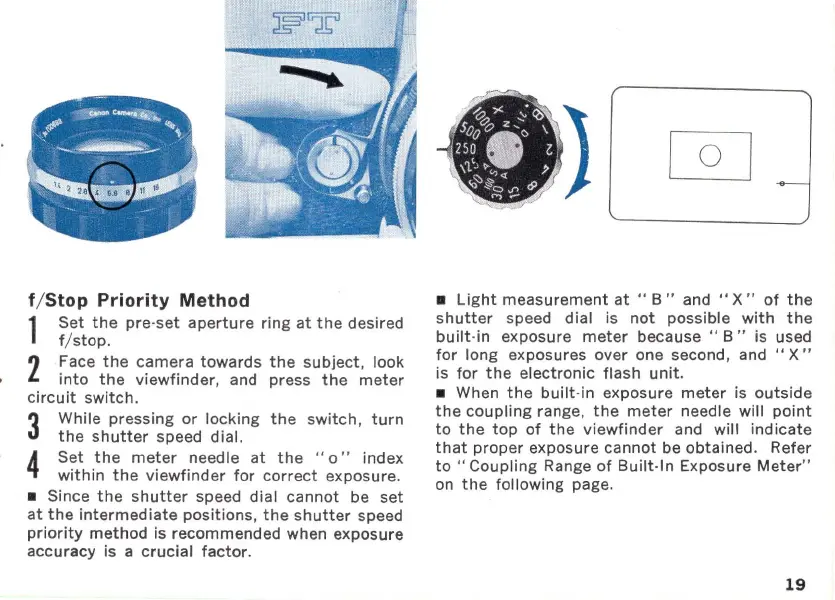
1
Set
the
pre-
set
aperture
ring
at
the
desired
f/ stop_
2
Face
the
camera
towards
the
subject
, look
into
the
viewfinder
, and press
the
meter
circuit
switch_
3
While pressing
or
locking
the
switch,
turn
the
shutter
speed dial.
4 Set
the
meter
needle
at
the
" 0 " index
within
the
viewfinder
for
correct
exposure_
Since
the
shutter
speed dial
cannot
be
set
at
the
intermediate
positions
,
the
shutter
speed
priority
method
is recommended when exposure
accuracy is a
crucial
factor
_
Light
measurement
at
" B " and
"X"
of
the
shutter
speed
dial
is
not
possible
with
the
built
-in exposure
meter
because"
B"
is used
for
long exposures over one second, and
"X"
is
for
the
electronic
flash
unit_
When
the
built-in
exposure
meter
is
outside
the
coupling
range,
the
meter
needle will
point
to
the top
of
the
viewfinder
and will
indicate
that
proper
exposure
cannot
be obtained_ Refer
to
"Coupling
Range
of
B
uilt-In
Exposure
Meter"
on
the
following page_
19

Related product manuals